
Blue Tees Rainmaker Review: A $599 Radar That Runs GSPro

Blue Tees Rainmaker Review (2026): A $599 Radar That Runs GSPro
If you are planning a winter garage sim around $600, you are weighing every entry-level option. The Rainmaker's built-in screen delivers low-friction practice, but radar room depth and indoor spin consistency make or break the setup.
Here, you will learn if it fits your room, whether GSPro or E6 is realistic, and its true three-year cost. If your budget is strict, check the best launch monitors under $1,000 first.
Accuracy and Data Quality: Good Speed Feedback, Uneven Spin Indoors
At $599, the buying question is never whether this unit rivals a commercial launch monitor. The real test is whether the numbers are dependable enough for routine practice and virtual play. In head-to-head testing against a Foresight GCQuad, Plugged In Golf found ball speed tracking was solid, usually holding within 1 mph with a maximum variance of 3 mph. Outdoor carry distance was generally within 2 to 3 yards, though occasional outlier misses still crept into the sessions.
The documented weak spot sits in the spin measurements. Plugged In Golf reported spin was consistently low outdoors, with significantly wider discrepancies showing up indoors, particularly on wedges. If you want club gapping, ball speed feedback, and general directional tendencies, Rainmaker accuracy holds up well for everyday practice. But if you are buying primarily for indoor wedge spin and spin-axis-dependent sim realism, this is where budget radar gets risky.
Operational friction also affects perceived data quality. Two independent reviews highlighted roughly a five-to-six-second delay from strike to data readout, along with occasional missed reads during a session. In any honest Blue Tees Rainmaker review, that readout lag and the indoor spin inconsistency are the compromises you accept for the price. If you are comparing hardware in the Blue Tees Rainmaker vs Garmin R10 matchup, trust the ball speed outdoors, but treat short-game spin indoors with healthy skepticism.
Software and Setup: Rainmaker with GSPro and E6 (What's Actually Required)
Always choose software before hardware. If you plan to use this unit beyond basic range sessions, do not assume you can run full simulation off an iPad or phone. Both supported platforms require a dedicated Windows PC.
For the Rainmaker launch monitor GSPro workflow, Blue Tees lists compatibility through GSPro's supported integration. Setup involves connecting the unit to the Blue Tees Launch App, installing GSPro on a compatible Windows PC, following the integration steps, and confirming the connection. You need a valid GSPro license ($250 per year) alongside your PC. To see how other budget options compare, check what launch monitors work with GSPro.
If you prefer E6, setup is simpler. Blue Tees states the Rainmaker is compatible with E6 Golf and E6 Connect on PC, connecting directly over Bluetooth Low Energy (BLE) without the Blue Tees Launch App. E6 uses five core data points from the hardware: ball speed, club speed, launch angle, launch direction, and spin rate.
The real bottleneck is PC hardware. Blue Tees recommends a 64-bit Windows 10 machine with at least a GTX 1070 for E6 Connect, or an RTX 3060 (12 GB VRAM) for E6 Golf. Factor that computer cost into your budget before pulling the trigger.
Space Requirements: The Room-Depth Math (and Why Radar Setups Fail)
Before you buy any radar launch monitor, pull out a tape measure. Radar units track the ball in flight, which means a cramped room will choke the hardware before you take your first swing.
Blue Tees outlines two non-negotiable placement specs. The Rainmaker must sit exactly 5 feet (1.5 meters) behind the ball, level with the hitting surface and aligned with your target line. In front of the tee, Blue Tees support guidance specifies at least 10 feet of ball flight indoors to prevent missed reads.
That 15-foot span is only your tracking baseline. To plan your functional golf simulator room size, you must add real-world padding. You need clearance behind the device so you do not step on it, plus buffer behind your net or screen to absorb impact safely. If you cut ball flight below 10 feet, radar simply lacks the flight window to read cleanly, causing dropped shots.
Garage builders also face interference risks. Blue Tees notes that large metal objects near the unit can interrupt the radar signal. A metal toolbox, exposed ductwork, or a steel garage door track sitting inside the radar cone can ruin tracking. Grab a tape measure and dry-run your hitting mat and net spacing before buying.
Usability and Portability: The Built-In Screen Is the Real Differentiator
The launch monitor you pull out twice a week beats a complicated rig that sits in a closet. The Rainmaker stands out in the entry-level bracket because it does not force you to boot up a gaming PC or fiddle with phone apps just to hit balls for twenty minutes.
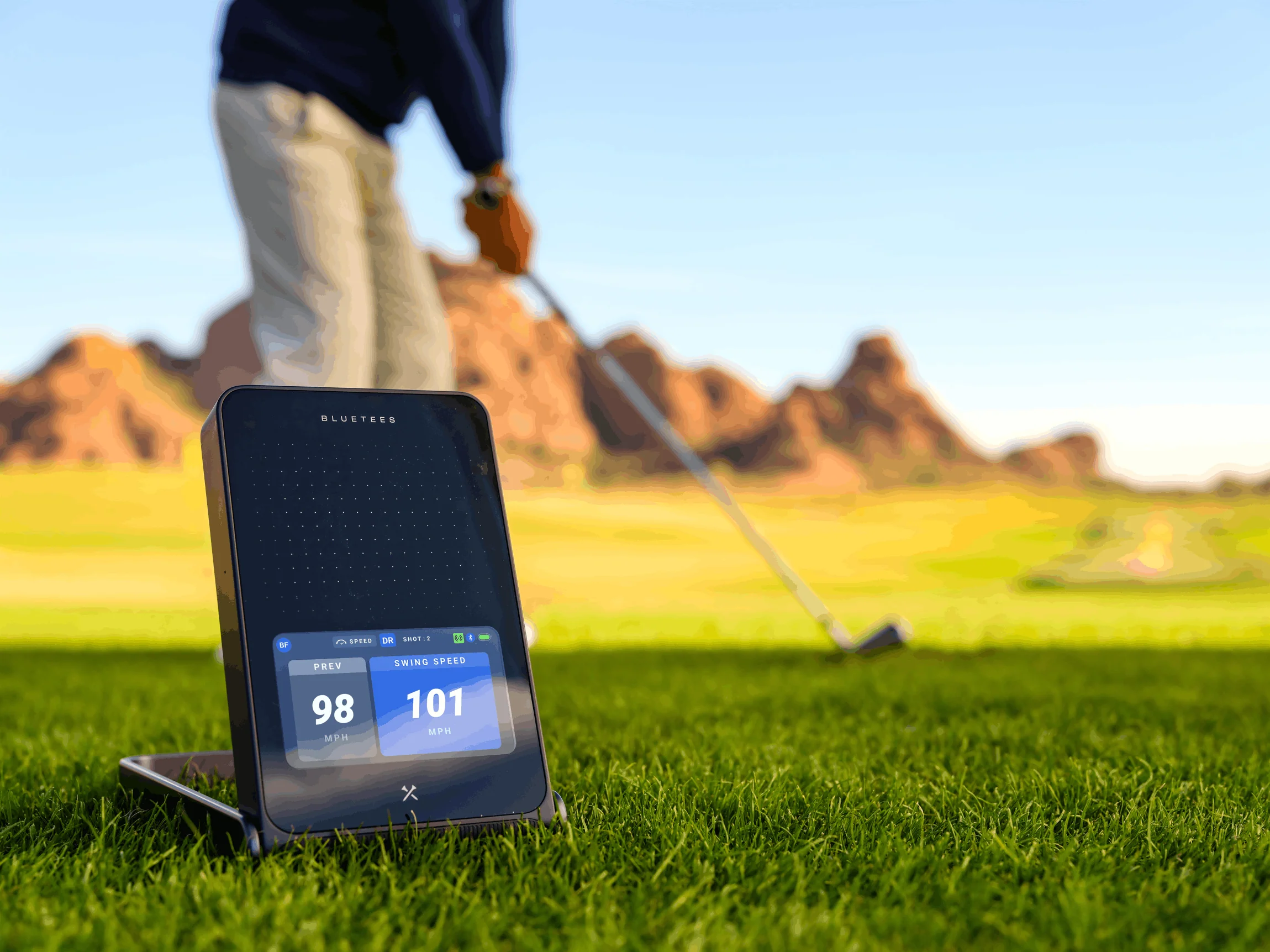
Its built-in 4.3-inch TFT LCD display (480x272) supports three standalone modes: Practice, Speed, and Target Distance. Powered by an internal 5,100 mAh battery delivering roughly 7 hours of runtime, it includes an IPX4 water-resistance rating, BLE connectivity, and offline storage for up to 1,000 shots. If you want a quick winter golf practice plan into a garage net without touching a computer, this standalone workflow cuts out massive friction.
The tradeoff is pacing. Independent reviews report a five-to-six-second delay from strike to readout, along with occasional dropped shots. If you expect instant feedback or hit rapid-fire balls, that wait will test your patience.
To keep missed reads from derailing a session, follow Blue Tees' setup baseline:
- Keep the unit completely level with your hitting mat.
- Measure distances precisely: 5 feet behind the ball and at least 10 feet of ball flight indoors.
- Clear toolboxes and large metal objects out of the radar path to avoid signal interference.
Total Cost of Ownership (3 Years): Hardware, App Membership, and GSPro Reality
Sticker price never tells the full story once ongoing software enters the equation. Factoring in long-term golf simulator subscription costs reveals what you actually spend across three years of ownership.
Blue Tees lists the Rainmaker at a $599.98 MSRP, with a current listed price of $499.98 on its site. Hardware includes a one-year bonus GAME AI and LAUNCH App package listed as $79.99 free for 12 months. After that first year, the app renews at $79 annually, though the device still tracks core metrics without it: ball speed, club speed, carry, total distance, launch angle, spin, and club path. Keeping the app puts your three-year hardware-plus-membership total at $657.98.
If you build a full simulation setup, the math changes. A GSPro subscription runs $250 per year, bringing the three-year Rainmaker and GSPro total to $1,249.98. Running GSPro or E6 also requires a capable Windows PC, which represents a separate expense you must budget for alongside the launch monitor.
Before committing, compare that financial commitment against physical space. While the Rainmaker needs 5 feet behind the ball, Garmin's manual specifies placing the Approach R10 between 6 and 8 feet behind the tee. A deeper Rainmaker vs Garmin R10 comparison helps determine which radar unit fits your room and workflow best.
Verdict: Is the Blue Tees Rainmaker Worth It for a First GSPro-Curious Build?
The bottom line of this Blue Tees Rainmaker review comes down to matching your expectations to entry-level radar. At a $599.98 MSRP and a current listed price of $499.98, the unit opens an affordable route to home simulation. The built-in screen removes setup friction, and the path to PC simulation is genuine. Even so, it remains a budget radar monitor with real operational limits that will not fit every room.
| Category | Judgment |
|---|---|
| Accuracy | Dependable outdoor speed and carry, but indoor spin is inconsistent, especially on wedges. |
| Software | Solid PC support. Works with GSPro via the Launch App and connects to E6 on PC over BLE. |
| Space Requirements | Demanding radar footprint: requires 5 feet behind the ball and at least 10 feet of ball flight indoors. |
| Usability | Great standalone screen workflow, but slowed down by a 5 to 6 second readout delay and occasional missed reads. |
| 3-Year Cost | Strong value at $657.98 with the app renewal, or $1,249.98 running GSPro, excluding the PC. |
Buy It If
You are building your first simulator on a budget, have ample room depth, and want low-friction garage practice. If your routine is hitting twenty balls into a net and checking carry and ball speed on a standalone display without opening an app or booting a PC, the Rainmaker excels. It stores up to 1,000 shots offline for instant practice.
It also fits if you want to run GSPro or E6 on a Windows PC without spending thousands on hardware. As long as you own a capable PC and budget for the $250 annual GSPro subscription, the Rainmaker keeps your initial investment low.
Skip It If
You are working in a tight room or shallow basement. If you cannot provide 5 feet of clearance behind the tee and at least 10 feet of ball flight, tracking degrades and dropped shots follow. Large metal objects like garage tracks also cause interference. In compact spaces, choose a camera-based golf simulator for small rooms instead.
You should also look elsewhere if you want precise spin for indoor wedge gapping or club fitting. Indoor spin variance is real, and underestimated spin skews simulated distance. Combined with a five-to-six-second readout delay and occasional missed reads, golfers who want fast-paced feedback will find it frustrating.
Next Steps
Before buying, take two practical steps:
- Measure your room. You need the 15-foot tracking baseline plus buffer space behind your net and clearance behind the unit.
- Audit your software budget. Decide between standalone screen practice, the $79 annual app renewal, or a gaming PC running GSPro. Calculate your total three-year cost before pulling the trigger.
FAQ: Rainmaker, GSPro, E6, Space, and the R10 Comparison
Blue Tees Rainmaker review: is it worth buying in 2026?
Yes, if you want low-friction standalone garage practice and an entry-level path to PC simulation, but not if you demand high indoor spin precision. Its overall value depends on having enough room depth and accepting inconsistent indoor spin readings, particularly on short wedges. Review the scored verdict categories above for the full breakdown of tradeoffs.
Does the Rainmaker work with GSPro?
Yes, the Rainmaker is compatible with GSPro on a Windows PC. Blue Tees outlines three required steps: connect the launch monitor to the Blue Tees Launch App, install GSPro on a compatible Windows PC, and maintain an active GSPro license. GSPro costs $250 per year and requires a dedicated graphics card to render courses smoothly.
Does the Rainmaker work with E6 Connect or E6 Golf?
Yes, Blue Tees states the Rainmaker is compatible with E6 Golf and E6 Connect on PC. Unlike GSPro, it connects directly to E6 over Bluetooth Low Energy (BLE) without requiring the Blue Tees Launch App. The device transfers five core data points: ball speed, club speed, launch angle, launch direction, and spin rate.
How much room do I need for the Rainmaker indoors?
You need at least 15 feet of tracking depth, plus safety clearance. Blue Tees documentation states you must place the Rainmaker exactly 5 feet behind the ball and allow at least 10 feet of ball flight indoors. For garage setups, ensure large metal objects like steel toolboxes or garage door tracks stay clear of the radar signal to avoid missed reads.
Rainmaker vs Garmin R10: which should a first-timer buy?
Your choice depends on available room depth and how you practice. The Rainmaker sits 5 feet behind the ball and provides a built-in display for app-free practice, whereas Garmin specifies placing the Approach R10 between 6 and 8 feet behind the tee. For a detailed breakdown of both units, explore our Rainmaker vs Garmin R10 comparison.
Does the Rainmaker require a subscription?
No, the Rainmaker operates without an ongoing subscription for core practice data. Without an active membership, it still tracks ball speed, club speed, carry distance, total distance, launch angle, spin, and club path. Hardware purchases include a one-year bonus app package, after which Blue Tees lists the app subscription at $79 per year.
Related Guides
Uneekor EYE MINI CORE Review: Uneekor Under $1,500
Read our Uneekor EYE MINI CORE review to uncover true 3-year costs, GSPro setup, and hardware trade-offs. Learn if this sub-$1,500 monitor is worth buying.
Carl's Place HotShot Mat Review: The Modular Hitting Mat
Read our Carl's Place HotShot mat review to explore insert options, real-tee tradeoffs, 3-year costs, and whether this modular golf mat fits your sim build.
How to Test a New Driver on Your Launch Monitor
Learn how to test a driver with a launch monitor at home. Follow this 5-step protocol to track ball speed, launch, and spin to find your best club.