
FlightScope Mevo Gen 2 Review (2026): The Mevo+ Successor

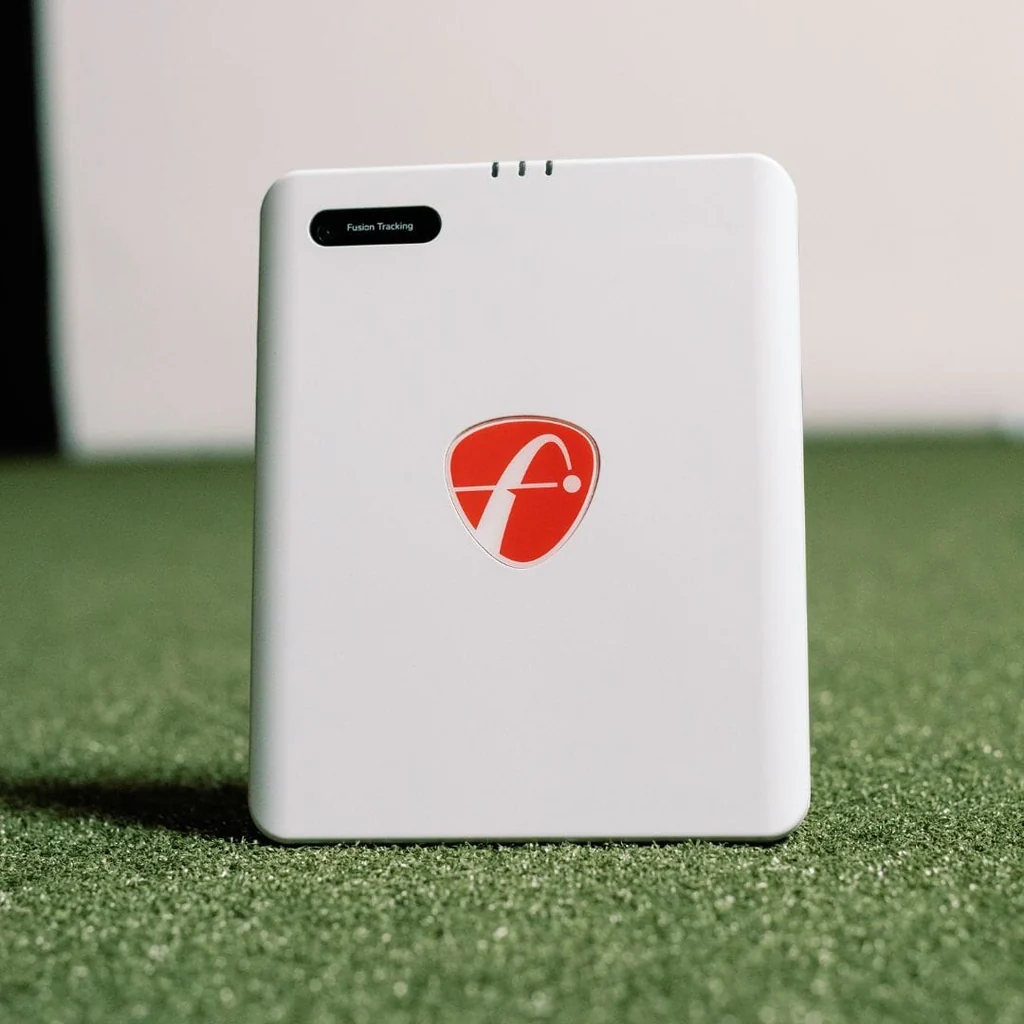
FlightScope Mevo Gen 2 Review (2026): The Mevo+ Successor
With the Mevo+ discontinued, the FlightScope Mevo Gen 2 serves as the direct upgrade path for golfers wanting dual indoor-outdoor radar tracking.
Radar indoors is unforgiving. Without sufficient room depth, you run into the exact misread issues buyers complain about. This FlightScope Mevo Gen 2 review covers real-world accuracy, space math, GSPro integration, add-on tiers, and true three-year costs before you commit to this build.
Here is how the accuracy numbers hold up.
Accuracy: Indoor vs Outdoor Realities and the Short-Carry Issue
You buy a launch monitor for hard numbers, not vibes. If carry distance and spin rates are not believable, your simulator stops being a useful practice tool.
When you give the radar adequate space, the FlightScope Mevo Gen 2 delivers reliable baseline data. Outdoors in full-flight conditions, ball speed and vertical launch angle track remarkably close to commercial units. Indoors, spin readings remain solid only when the unit has enough ball-flight runway and a clean ball signature.
Here is the known weakness that retail reviews tend to soften: community testing frequently logs indoor carry numbers reading 10 percent low or 20 to 30 yards short on irons, even when outdoor numbers look dead on. The practical impact is severe. Your yardage gapping becomes useless, and seeing a 165-yard 7-iron drop to 140 yards tempts you into making destructive swing changes.
To sanity-check your indoor accuracy before panicking, run this quick diagnostic:
- Compare speeds. Check your indoor ball speed against your known outdoor baseline. If ball speed matches but carry drops 20 yards, the radar is failing on launch angle, spin capture, or the environmental flight algorithm.
- Isolate the ball signature. Test Titleist Pro V1 RCT balls or metallic dot stickers against standard balls. While radar-reflective balls help capture true spin axis, forum users report that RCT balls alone will not fix short indoor carry if your room depth is insufficient.
This matters most for golfers using sim sessions for serious bag gapping, club fitting, or swing speed training.
Category Verdict: Strong potential outdoors, but indoor accuracy on the FlightScope Mevo Gen 2 is heavily conditional and will struggle in rooms without proper depth.
Space Requirements: How Much Room the Mevo Gen 2 Needs
The FlightScope Mevo Gen 2 is a radar-based unit. If your room cannot fit the physical math, accuracy discussions are pointless.
Radar requires an unobstructed runway to track club delivery and ball flight. Here are the core setup numbers:
- Unit behind ball: 7 to 8 feet directly behind the tee.
- Ball flight to screen: 8 feet minimum, though 10 to 12 feet is preferred.
- Buffer space: 1 foot behind the screen and 1 foot behind the monitor.
That puts total required depth at 16 feet bare minimum, with 18 to 20 feet recommended. Check how much room a golf simulator actually needs to see how this compares across room types.
When you crowd radar into a short room, tracking degrades in a predictable order:
- Spin stability and carry consistency break first. Without enough ball revolutions in flight, the algorithm estimates spin, producing erratic carry distances.
- Short game misreads. Chips and short pitches under 15 yards frequently misread or fail to register entirely.
- The "reads short" symptom appears. If indoor iron carry looks consistently short by 15 yards, limited flight distance is usually the culprit.
Radar is also vulnerable to environmental interference. Metal garage tracks, spinning ceiling fans, and unlevel turf distort the microwave signal. Using Titleist RCT balls or metallic dots improves the radar signature in limited flight, but no ball solves a shallow room.
This constraint matters most for garage and basement builders deciding between rear-positioned radar and side-mounted optical units.
The Space Verdict: If you have 18 feet or more of clear depth, the Mevo Gen 2 fits cleanly. If your room measures under 16 feet total, walk away and buy a side-mounted optical monitor instead.
Software and GSPro Setup: Compatibility, Bridging, and Latency
Always pick your simulation software before buying hardware. A launch monitor is only as good as the software it feeds, and if getting shot data to your screen causes constant connection headaches, the simulator build fails.
For any FlightScope Mevo Gen 2 review, software flexibility is a standout strength across three primary options:
- FS Golf: The free native app. Use this for basic driving range practice, firmware updates, and baseline data verification.
- E6 Connect: Officially supported out of the box. License terms and included course packages vary by package bundle, but the integration remains stable.
- GSPro: The community favorite. Supported and reliable, though it uses an open API connection rather than a direct vendor handshake. Check our master guide on what launch monitors work with GSPro to see how it compares across other monitors.
Connecting the Mevo Gen 2 to GSPro requires understanding its Wi-Fi bridging workflow. Because the unit broadcasts its own Wi-Fi network, your PC must connect to the Mevo while maintaining internet access for course downloads and multiplayer sessions. You manage this by configuring the unit to bridge directly through your home Wi-Fi network.
When connections hang or drop, the troubleshooting pattern is simple: forget the network on your PC, power-cycle your router, and re-pair through the FlightScope utility.
Once dialed in, expect shot-to-screen latency around one second in fusion tracking modes with tracers enabled. That delay is noticeable next to instant photometric units, but it is completely playable during full 18-hole rounds.
Remember the hidden hardware requirement: GSPro requires a capable dedicated gaming PC with a standalone GPU, adding to your total build cost if you do not already own one.
Software Verdict: Strong platform compatibility, but network bridging means setup takes deliberate configuration rather than instant plug-and-play simplicity.
Club Data and Add-Ons: Understanding the Pro Package Confusion
Out of the box, the FlightScope Mevo Gen 2 provides a solid baseline of measured ball and club metrics. It captures ball speed, launch angle, spin rate, club speed, and smash factor without relying on pure algorithmic guesswork.
The confusion starts with the upgrade path. The older Mevo+ built its reputation on modular upgrades, allowing buyers to add the Pro Package for full D-Plane club delivery data and Face Impact Location later.
Many golfers assume Gen 2 inherits that exact add-on ecosystem, but messaging around advanced upgrades has been inconsistent. Never buy sim hardware based on the expectation of future software updates. Unless FlightScope is actively selling an advanced club package for Gen 2 today, evaluate the unit strictly on its existing out-of-the-box capabilities. If you are weighing both options, our Mevo Gen 2 vs Mevo+ comparison breaks down the hardware differences.
For casual practice, baseline speed and carry metrics are plenty. But for coaches, fitters, and players tracking face-to-path relationships, advanced club data is the entire reason to spend four figures on a monitor. If you need full club delivery metrics right now, a certified pre-owned Mevo+ with an unlocked Pro Package or a dedicated optical unit remains the safer route.
Club Data Verdict: Excellent baseline metrics out of the box, but an ambiguous upgrade roadmap makes the FlightScope Mevo Gen 2 a risky purchase for golfers demanding advanced club analytics today.
Short Game and Sim Usability: Chipping, Putting, and Reliability
Full-swing numbers get all the marketing attention, but your day-to-day sim experience depends on how the launch monitor handles short game shots, connection stability, and battery management.
Short-game detection on radar is notoriously difficult. FlightScope improved low-speed tracking over older Doppler hardware, but physical thresholds remain. Chips under 10 to 15 yards and low bump-and-runs still suffer from occasional no-reads indoors.
Putting is the weakest link. Tracking a ball rolling slowly across turf over an eight-foot radar runway is fundamentally tough for Doppler sensors. Misread pace and missed directional reads will happen. If you expect tour-grade putting on the greens, radar is simply the wrong tool.
On hardware usability, the built-in battery delivers roughly 3 to 4 hours of real-world play. That gives you enough runtime for a full 18-hole round or a range session without hunting for outlets. For connection stability, local Wi-Fi interference can cause mid-round drops, so connecting over a dedicated 5 GHz band is essential.
Short-game tracking is always the first thing to break when golf simulator room size depth is tight or physical unit leveling is off by even half an inch.
This matters for golfers who want to play complete simulator rounds rather than just hit 50 drivers. To keep sessions fun and eliminate putting headaches, set your software rules to auto-putt or configure gimmies inside 8 to 10 feet.
Total Cost of Ownership: 3-Year Math and the No-Subscription Reality
Sticker price never tells the full story on a launch monitor build. In any honest FlightScope Mevo Gen 2 review, evaluating total cost means calculating hardware, software licenses, computing power, and radar consumables. FlightScope does not charge a mandatory hardware subscription, but running a full simulator setup still carries real costs.
Here is the realistic three-year math:
- Mevo Gen 2 Hardware: $1,999 upfront with no mandatory hardware fees.
- Simulation Software: $0 for the included FS Golf range. GSPro runs $250 per year ($750 over three years). Optional E6 Connect packages range from $300 to $600 annually.
- Dedicated Gaming PC: $800 to $1,200 for a PC capable of running GSPro or E6 smoothly.
- Radar Consumables: $70 to $140 for Titleist RCT balls and metallic dots to guarantee indoor spin readings.
Expect a realistic three-year total of roughly $2,100 for basic mobile practice, or $3,600 to $4,000 for a full GSPro build.
Positioning against the used market matters here. FlightScope has discontinued the original Mevo+, making the decision less about sticker price and more about active warranty coverage versus a legacy ecosystem. For the complete matchup, check our Mevo Gen 2 vs Mevo+ breakdown.
Cost Verdict: Value is exceptional if your room fits radar. You dodge recurring hardware paywalls and pay only for software you actually use.
The Verdict: FlightScope Mevo Gen 2 Review
The FlightScope Mevo Gen 2 is the best radar launch monitor under $2,000 for golfers who split time between a deep indoor bay and the outdoor driving range without paying mandatory hardware subscriptions. If your indoor space measures under 16 feet of clear depth, however, the radar physics disqualify it immediately.
| Category | Judgment |
|---|---|
| Accuracy | Excellent outdoors. Indoors, ball speed and launch are reliable, but carry distances degrade if ball flight distance is limited. |
| Space Requirements | Very demanding. Needs 16 feet minimum depth and 18 to 20 feet for optimal tracking. |
| Software Compatibility | Strong. Reliable GSPro and E6 Connect support, though GSPro requires Wi-Fi bridging. |
| Data Metrics and Tiers | Solid out-of-the-box ball metrics. Advanced club delivery upgrades remain unconfirmed. |
| Short Game and Usability | Usable 3 to 4-hour battery. Chipping under 15 yards and putting struggle indoors. |
| Total Cost of Ownership | Outstanding hardware value at $1,999 with $0 mandatory subscription fees. |
Who Should Buy the Mevo Gen 2
- Deep-room dual users: Golfers with 18 or more feet of clear room depth who want trustworthy ball speed, launch, and spin numbers indoors, plus full portability for the outdoor range.
- Mevo+ upgraders: Current Mevo+ owners seeking fresh hardware, improved battery life, and active warranty support without taking on recurring annual device fees.
- Full-swing practice golfers: Players who care primarily about dialing in full iron and driver swings, and are happy running auto-putt or 10-foot gimmies during simulator rounds.
Who Should Look Elsewhere
- Space-constrained builders: Anyone working in a basement, spare room, or single garage bay with less than 16 feet of total depth. In tighter spaces, a camera-based monitor like the SkyTrak+ fits where radar cannot.
- Club-delivery purists: Fitters and golfers whose primary goal is tracking face impact location and face-to-path relationships today. Do not buy this unit expecting unannounced add-on packages to appear later.
- Zero-friction sim players: Golfers who want plug-and-play USB simplicity without managing local PC network bridging or Wi-Fi channel handshakes.
The Bottom Line
The known reality of the FlightScope Mevo Gen 2 comes down to setup discipline. If your hitting runway is shallow or your leveling is off, it will under-read indoor carry numbers and frustrate your practice.
Before spending money, take a tape measure to your space. Choose your simulation software first, verify your total room depth, and only buy radar if your room math gives the tracking beam room to work.
Frequently Asked Questions
Is the FlightScope Mevo Gen 2 worth it in 2026?
The FlightScope Mevo Gen 2 is worth it if you have at least 18 feet of room depth, want seamless indoor-outdoor portability, and refuse to pay mandatory recurring hardware subscriptions. At $1,999 upfront, it delivers reliable tracking without annual device paywalls. Over three years, your only ongoing cost is third-party software like GSPro ($750 total). It is not worth it if your room is under 16 feet deep, where radar tracking breaks down.
How much room do you need for the Mevo Gen 2 indoors?
You need 16 feet of total room depth bare minimum, with 18 to 20 feet recommended for reliable accuracy. The setup requires 7 to 8 feet from the unit to the tee, 8 to 12 feet of ball flight to the screen, and 2 feet of total buffer space behind the unit and screen. In rooms under 16 feet, spin capture degrades, carry numbers read short, and short chips fail to register.
Is the Mevo Gen 2 accurate indoors? Why do some people report short distances?
The Mevo Gen 2 is accurate when given enough runway, but indoor short-carry reports are common when room depth is tight or setup alignment is off. If your irons are reading 15 to 20 yards short indoors, run these five checks:
- Verify exact unit leveling, tilt, and tee alignment.
- Confirm at least 8 to 10 feet of clear ball flight.
- Eliminate metallic interference from garage door tracks or spinning fans.
- Use Titleist RCT balls or metallic dot stickers to capture true spin.
- Compare indoor ball speed against your known outdoor baseline to isolate calculation errors.
Does the FlightScope Mevo Gen 2 work with GSPro?
Yes, the Mevo Gen 2 connects to GSPro using an open API integration. You connect your PC to the Mevo Gen 2 over Wi-Fi and configure network bridging so your computer maintains internet access for multiplayer and course downloads. Shot latency from impact to screen is around one second. For complete configuration steps, see our guide on how to set up GSPro.
Mevo Gen 2 vs Mevo+: Should you upgrade or buy used?
The original Mevo+ is discontinued, so the Mevo Gen 2 is the standard choice for new buyers needing active warranty coverage, fresh hardware, and improved battery life. Buying a used Mevo+ only makes sense if you find a heavily discounted unit with an unlocked Pro Package and face impact software already included. Otherwise, Gen 2 is the better long-term hardware investment.
What should you buy instead if your room is not deep enough?
If your room has less than 16 feet of total depth, skip radar entirely and buy a side-mounted optical or photometric launch monitor. Camera-based units sit directly next to the ball rather than behind it, eliminating rear clearance requirements and fitting rooms as shallow as 10 to 12 feet. Always base your launch monitor choice on your room depth first, before evaluating secondary features.
Related Guides
Best Golf Simulator Screen (2026): Impact Screen Materials & Size Guide
Find the best golf simulator screen for your space. Compare top options, reduce impact noise, and learn how to calculate exact room size and aspect ratio.
Golf Simulator Total Cost Breakdown: What You'll Actually Spend at Each Tier
How much does a golf simulator cost? Discover the real numbers behind 5 realistic pricing tiers, hidden fees, and multi-year ownership costs in 2026.
Best Short-Throw Projector for Golf Simulator (2026): Top 5 Picks
Find the best projector for golf simulator setups. Compare top short-throw laser and lamp models for brightness, throw ratio, and low input lag.