
TruGolf LaunchBox Review (2026): All-in-One Sim in a Box

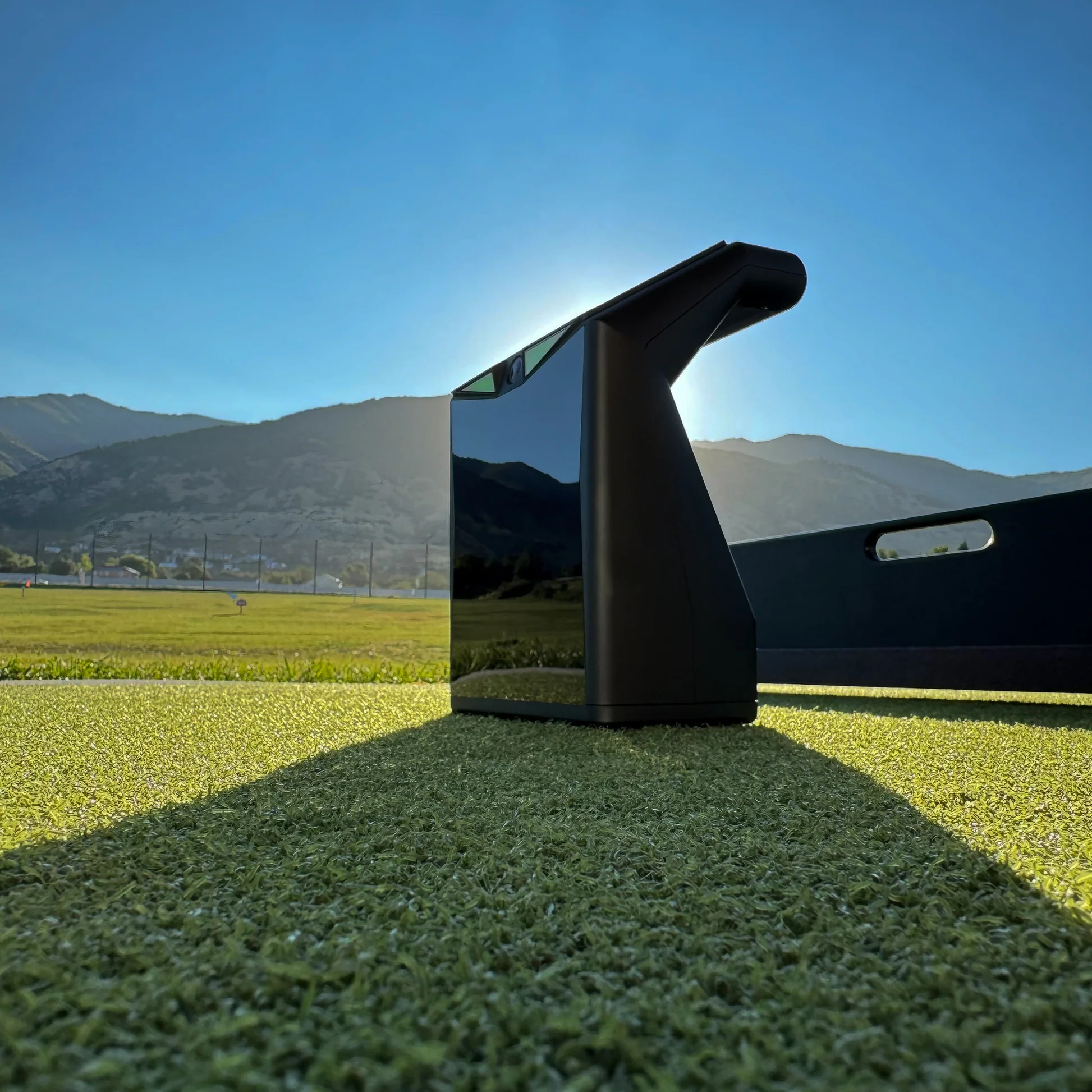
TruGolf LaunchBox Review (2026): The Sim-in-a-Box Reality
If you want a plug-and-play simulator without recurring subscription fees, this TruGolf LaunchBox review covers an appealing package. You get 27 included E6 courses you own outright and a fast shot-to-screen tracer.
The catch is ecosystem lock-in. If GSPro is your priority, the hardware restricts your software options compared to other best new launch monitors this year.
Here is what LaunchBox really costs over three years, the room depth it needs, and whether it fits your build.
Accuracy and Shot Tracking: Real Play vs. Fitting Standards
If your launch monitor numbers feel delayed or inaccurate, simulation stops being fun and indoor practice loses all training value. For any TruGolf LaunchBox review, accuracy and latency are the two factors that determine whether the unit earns its place in your build.
The LaunchBox captures core ball metrics, including ball speed, launch angle, direction, spin, and carry distance, alongside basic club delivery fields in E6 Connect. Its biggest operational strength indoors is low latency. The shot-to-screen tracer triggers almost instantly upon impact, creating an immediate rhythm that makes virtual rounds feel authentic rather than disconnected.
That fast tracer feel makes the unit great for home sim rounds, but you should treat it as an entertainment and practice device rather than a commercial fitting bay tool. Many published reviews do not provide side-by-side reference data against benchmark units like the Foresight GC3, GCQuad, or TrackMan. Without that direct verification, treat absolute yardage and spin claims with healthy skepticism.
If you run an indoor validation session, focus on these four checkpoints:
- Repeatable 7-iron carry windows across standard strikes
- Wedge spin stability on partial pitch shots
- Driver spin variability on off-center hits
- Left-to-right lateral dispersion consistency
Short game also requires realistic expectations. Delicate 10-yard chips, flop shots, and putting inside E6 Connect function well enough for casual scoring, though misreads can occur if ball placement drifts outside the hitting zone. If you are weighing home practice options, see our LaunchBox vs SkyTrak+ comparison for how their tracking hardware compares.
The bottom line on performance: LaunchBox feels fast and playable for sim golf, but it is not a lab instrument for club fittings.
Software Ecosystem and Licensing: E6 Connect, Apex, and the GSPro Question
For an all-in-one golf simulator, the software essentially is the product. Tracking hardware only matters if the software licensing and course library actually match how you want to play.
TruGolf built LaunchBox directly around its proprietary software ecosystem, which splits into two tiers:
- E6 CONNECT Home: Included with the base purchase. You get 27 fully playable courses that you own permanently, with no mandatory annual subscription to keep playing them.
- E6 Apex: TruGolf's expanded, higher-fidelity platform with upgraded graphics and additional game modes. Moving to Apex typically requires an ongoing annual subscription or paid upgrade path.
Those 27 owned E6 courses change the long-term ownership math. On many competing launch monitors, letting your annual software subscription lapse locks you out of simulator course play entirely. With LaunchBox, your baseline setup remains playable out of the box without an ongoing bill.
The tradeoff comes down to software flexibility and third-party compatibility:
- Device Workflows: LaunchBox connects reliably to a Windows gaming PC for dedicated projector setups, and it supports standard iOS workflows for casting to an iPad or TV.
- Third-Party Software: LaunchBox is not the safe choice if running GSPro is a hard requirement for your build. It is engineered specifically for the E6 environment, so you should check what launch monitors work with GSPro before buying.
If you want a plug-and-play setup with 27 perpetual E6 courses and zero mandatory yearly fees, LaunchBox makes a lot of sense. But if GSPro and its massive community course library are central to your simulator plans, pause and look at a more open platform instead.
Setup and Daily Usability: The Reality of "All-in-One" Convenience
Convenience-first buyers choose an all-in-one unit to avoid tinkering. If getting ready to hit a ball takes fifteen minutes of troubleshooting, the convenience argument disappears.
On hardware portability, LaunchBox performs well. The built-in battery powers a full two-hour practice session, and the integrated top display delivers instant ball speed and carry numbers outdoors without opening an app on a phone or tablet.
Indoor setup friction centers on connectivity. Connecting to a PC via Direct Wi-Fi makes the unit broadcast its own network, which disconnects your computer from the home router. To run online game modes without dropping your internet connection, add a cheap second USB Wi-Fi adapter to your shopping list or run a wired Ethernet cable. If you are configuring a PC station, check Golf simulator PC requirements to ensure your machine has the available USB ports and GPU headroom.
Placement tolerance requires similar discipline. The optical hitting zone is relatively compact, so placing a ball even an inch outside the target window leads to annoying misreads or no-reads. Plan your hitting strip or turf insert so ball placement sits consistently in the sweet spot on every swing.
Player handedness introduces another operational friction point. Because LaunchBox sits beside the golfer like most photometric monitors, switching between righties and lefties requires physically sliding the unit to the other side of the mat and releveling it. In households with regular mixed-handed game nights, that constant repositioning gets tedious quickly.
For solo practice in a dedicated single-side bay, LaunchBox delivers solid out-of-the-box ease. If you plan to host mixed groups or need continuous internet on your PC, factor in the small accessories and manual adjustments beforehand.
Space Requirements: Room Dimensions, Ceiling Height, and Lighting
If a launch monitor does not physically fit your room, its software features and data parameters mean nothing. Room geometry determines whether your setup is functional or dangerous before you ever hit a ball.
Because LaunchBox is an optical device that sits beside the ball rather than behind it, it requires significantly less total depth than a radar monitor. You still need to account for three distinct distances:
- Device-to-ball placement: LaunchBox sits roughly 1 to 2 feet to the side of your hitting zone.
- Ball-to-screen buffer: You need 8 to 10 feet between the tee and your screen or net to capture ball flight safely and limit bounceback.
- Golfer swing clearance: You need 4 to 6 feet behind your stance so your backswing never clips a rear wall.
Altogether, plan on roughly 14 to 16 feet of total depth. For complete room layouts and spacing math, see our Golf simulator room size guide.
Ceiling height is the most common dealbreaker in garages and basements. Never trust generic 9-foot rules. Take your longest driver, stand on your actual hitting mat, and take aggressive swings on your steepest and flattest paths. If you cannot clear the ceiling with a full-speed follow-through, no launch monitor fixes that constraint.
Lighting and surfaces also dictate tracking reliability. Optical sensors struggle with direct sunlight, harsh glare, and uneven ground. Indoors, run diffuse overhead lighting instead of pointing spotlights at the unit. Outdoors, always hit off a level mat rather than rough grass. Because the optical hitting window is compact, an unstable mat that shifts will lead directly to misreads and no-reads.
Total Cost of Ownership: Subscriptions, Tiers, and Real-World Builds
LaunchBox positions itself as an all-in-one package, but your actual out-of-pocket spend depends entirely on whether you want a garage practice net or a dedicated projector room.
The base hardware package retails for around $2,700 and includes the tracking unit plus 27 permanent E6 Connect courses. The Premium tier bumps the upfront price to roughly $3,200, adding marquee championship course packs and expanded practice suites.
To understand the real 3-year ownership cost, look at three common setup paths:
- Scenario A: Zero-Subscription Basic Sim ($3,300 total)
- Base LaunchBox unit: $2,700
- Hitting mat: $350
- Practice net: $250
- 3-year subscription cost: $0 (using included permanent E6 courses)
- Scenario B: Apex Subscription Add-on ($4,500 total)
- Base hardware, mat, and net: $3,300
- E6 Apex annual subscription: $400 per year ($1,200 over 3 years)
- Scenario C: Full Projector-Room Build ($7,825+ total)
- Base hardware: $2,700
- Enclosure and impact screen: $1,800
- Short-throw projector: $1,200
- Gaming PC with dedicated GPU: $1,100
- Mat and side barrier netting: $600
- USB Wi-Fi adapter for PC connection: $25
- 3-year subscription cost: $0 to $1,200 depending on software tier
For a deeper look at budgeting individual components, check out our Golf simulator total cost breakdown.
LaunchBox simplifies software licensing and avoids the recurring fees required by a SkyTrak+ build, where ongoing subscriptions quickly add up. However, software convenience does not eliminate the physical reality of building a room. If you want a full-impact enclosure with a PC and projector, the structural costs remain identical to any DIY launch monitor setup.
The Verdict: Is the TruGolf LaunchBox Worth It?
If you want a turn-key home simulator without mandatory recurring software fees, the TruGolf LaunchBox delivers genuine convenience, provided you are happy staying inside its software ecosystem.
| Category | Judgment | Reason |
|---|---|---|
| Performance and latency | Good | Fast shot-to-screen tracer feel, though fine short-game reads require exact ball placement. |
| Software and courses | Good | 27 perpetual E6 courses included upfront, but third-party GSPro access is locked out. |
| Setup and day-to-day friction | Mixed | Great standalone top display for the range, but PC Wi-Fi bridging and handedness swapping add friction. |
| Space and environment fit | Excellent | Side-mounted optical tracking works cleanly in compact rooms needing only 14 to 16 feet of total depth. |
| Total cost of ownership | Good | Higher upfront hardware price is offset by zero mandatory annual subscription fees for base course play. |
The LaunchBox earns its appeal through two standout strengths: an immediate shot-to-screen tracer that makes indoor rounds feel fluid, and 27 fully owned E6 courses that protect you from subscription fatigue.
The dealbreaker remains ecosystem lock-in. TruGolf engineered this hardware strictly around its own E6 platform. If your simulator plans revolve around GSPro, community-designed courses, and open software flexibility, do not buy the LaunchBox assuming third-party compatibility will open up later.
Buy the LaunchBox If
- You want native E6 Connect: You value the polished graphics, structured practice modules, and family-friendly modes of the E6 platform.
- You hate recurring bills: You want permanent ownership of 27 real-world courses without paying an annual subscription just to hit balls into a net.
- You split time indoors and outdoors: You want a portable unit with a built-in battery and top display for range practice alongside your home simulator setup.
Look Elsewhere If
- You are GSPro-first: You prioritize GSPro integration, 500+ community courses, and active online simulator leagues.
- You need fitting-grade precision: You require lab-verified spin measurements for club fitting and building custom sets.
- You hate small hitting-zone discipline: You dislike strict ball placement or sliding and releveling the unit when righties and lefties alternate shots.
Before making a final call, price-check turnkey LaunchBox bundles against the cost of a DIY build using an open-ecosystem monitor like the SkyTrak+. If you value owned software and fast tracer response above all else, the LaunchBox delivers a solid, zero-subscription home golf experience.
Frequently Asked Questions
Is the TruGolf LaunchBox worth it in 2026?
Yes, the LaunchBox is worth it if you want an all-in-one simulator package with zero mandatory annual subscription fees. You get 27 perpetual E6 Connect courses and instant shot-to-screen tracer feedback. However, it is not worth it if you want to play GSPro or require tour-level club fitting data, as the unit is locked strictly to the TruGolf E6 software ecosystem.
What is the TruGolf LaunchBox price and what comes in the box?
The base TruGolf LaunchBox retails for roughly $2,700 to $2,999, while the Premium tier runs around $3,499. The package includes the optical launch monitor unit, charging cables, and a permanent 27-course E6 Connect license. You must still supply your own hitting mat, practice net or impact screen, projector, and compatible PC or iOS device.
Do the 27 included E6 courses require an annual subscription?
No, the 27 included E6 Connect courses do not require any recurring subscription. You own that baseline 27-course library permanently with the hardware purchase. TruGolf only charges an ongoing fee if you choose to upgrade to their E6 Apex platform for advanced graphics, online events, and expanded course packages.
Does the TruGolf LaunchBox work with GSPro?
No, the TruGolf LaunchBox does not have official, native integration with GSPro. The device is purpose-built for the proprietary E6 software ecosystem. If playing GSPro and its community course library is a primary requirement for your simulator build, you should choose an open launch monitor with verified third-party support.
How much room do you need for a LaunchBox simulator?
You need roughly 14 to 16 feet of total room depth, 10 feet of width, and 9 to 10 feet of ceiling height. Because LaunchBox sits beside the ball, it only requires 8 to 10 feet between the tee and screen, plus 4 to 6 feet of backswing clearance behind you.
TruGolf LaunchBox vs SkyTrak+: which is better for home use?
Choose LaunchBox if you want 27 owned E6 courses out of the box with zero required yearly fees. Choose SkyTrak+ if you want broader third-party software flexibility, measured club data, and do not mind paying an annual subscription for game improvement features.
Related Guides
Shot Scope LM1 Review (2026): Is the $200 Launch Monitor Worth It?
Our honest Shot Scope LM1 review covers real-world accuracy, indoor setup space, and pricing. Find out if this $199 monitor is right for your net practice.
Mevo+ vs SkyTrak+: Radar vs Optical for Your Home Sim
Deciding between Mevo+ vs SkyTrak+? Compare space requirements, GSPro compatibility, and 3-year costs to find the perfect launch monitor for your home.
What is GSPro? The Complete Golf Simulator Software Guide (2026)
Wondering what is GSPro golf simulator software? Discover how it works, 2026 costs, PC requirements, compatible launch monitors, and how to get courses.