
Mevo+ vs SkyTrak+: Radar vs Optical for Your Home Sim

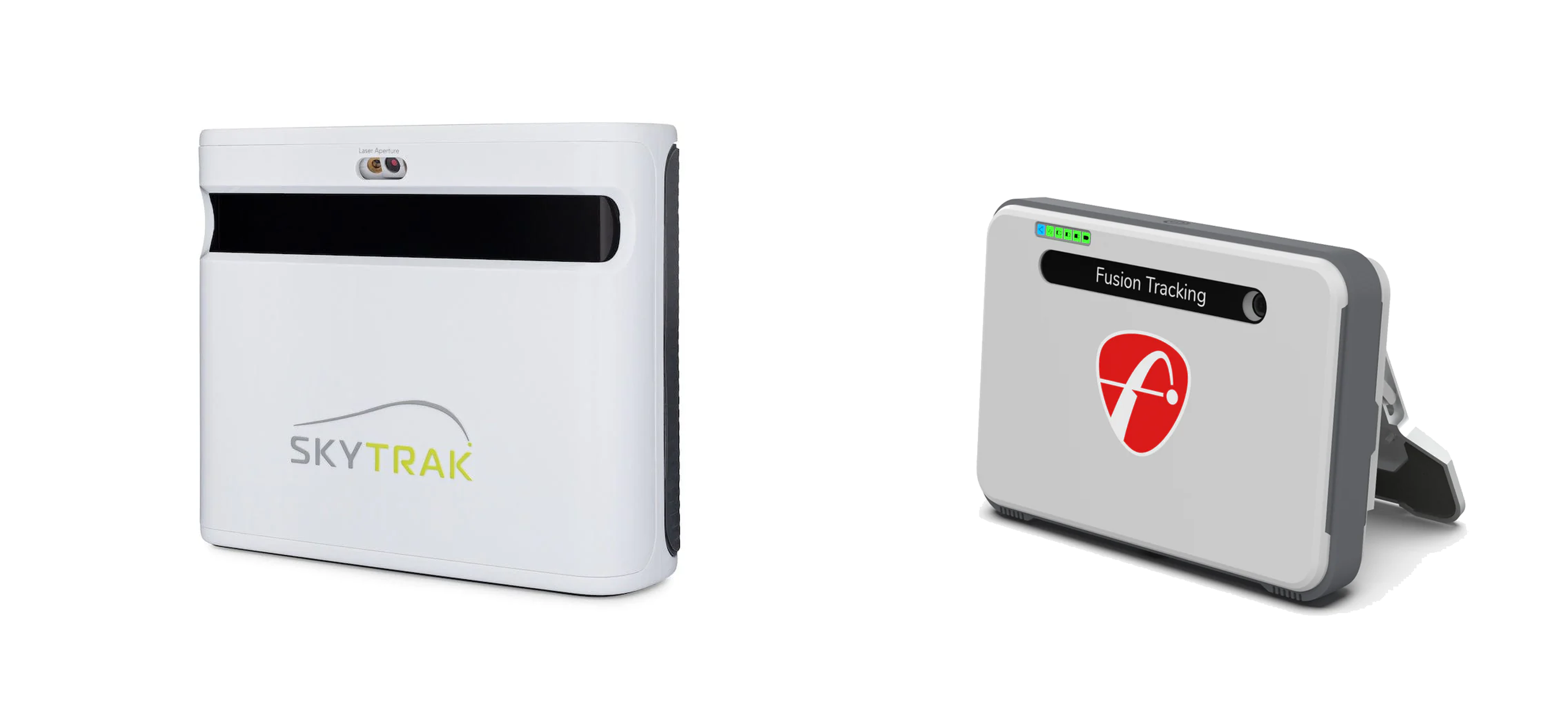
Mevo+ vs SkyTrak+ (2026): Which Should You Buy?
Choosing between the Mevo+ vs SkyTrak+ comes down to your space. If you have under 12 feet of depth, the SkyTrak+ is your practical indoor pick. With 16-plus feet and a need for outdoor portability, the Mevo+ fits better.
Radar versus optical tech changes your room math, indoor spin accuracy, and software workflow. Below, you get the room-fit math, GSPro setups, and three-year total costs.
Start with accuracy and measurement method, because it explains everything else.
Mevo+ vs SkyTrak+ Accuracy: How They Track Your Ball
When you invest in a launch monitor, you do not need perfect parity with a twenty-thousand-dollar tour unit. You need repeatable, believable numbers that make practice and yardage gapping productive. If your eight-iron randomly carries ten yards long on your screen, you cannot trust the practice. Deciding between the Mevo+ vs SkyTrak+ comes down to two completely different tracking technologies.
The FlightScope Mevo+ is a radar-based system. It sits seven to eight feet directly behind the ball and tracks physical flight. Because it relies on Doppler radar, it needs a clean line of sight and enough open space to measure ball flight and calculate spin. Indoors, this means you need at least eight feet of ball flight before the ball hits your screen, pushing total room depth requirements to fourteen to sixteen feet.
The SkyTrak+ takes a different approach. As a certified pre-owned (CPO) only unit as of 2026, it uses an optical camera and radar hybrid system that sits beside the ball. It captures high-speed images of the ball at the exact moment of impact and during its first few inches of flight. It does not care about what happens ten feet down the line because it calculates shot data before the ball hits your screen.
Indoors, this technology difference shows up immediately. The Mevo+ delivers excellent ball speed and launch numbers if your room is long and alignment is precise. However, in limited space, the Mevo+ is highly sensitive to limited flight and can be less consistent on spin capture. You will notice this most on wedges and short chips, where the radar has less time to read ball spin before the impact screen stops it.
The SkyTrak+ is optimized for indoor rooms. Because it is photometric, it reads spin directly off the ball without needing metallic stickers. It feels incredibly consistent shot-to-shot in short rooms. Its main indoor drawback is latency. You will experience a one to two-second delay between hitting the ball and seeing your shot shape on software like GSPro, which can disrupt your swing rhythm.
Outdoors, the script flips completely. This is where the Mevo+ radar technology thrives. With full, unrestricted ball flight on a range, the Mevo+ is highly accurate and is the better choice for real on-grass practice. The SkyTrak+ is not built for range sessions. Direct sunlight can blind its optical cameras, and getting the unit level on uneven turf is a constant headache.
This accuracy comparison does not produce a single winner. If your simulator is mostly for indoor practice and you value a simple setup with trusted spin in a shorter room, this criterion favors the SkyTrak+. If you regularly practice outdoors and can give radar the space it wants, this criterion favors the Mevo+.
Before finalizing your layout, check out our guide on golf simulator ceiling height. Your ceiling clearance will dictate your indoor swing mechanics just as much as your launch monitor's technology.
Mevo+ vs SkyTrak+ Space Requirements: Do You Have Enough Depth?
If a launch monitor does not physically fit your room, accuracy debates are completely irrelevant. You do not want to spend thousands on a premium simulator only to realize you cannot swing your driver, or that your monitor cannot track the ball. Before looking at software, you must solve the room depth math.
Total room depth is a trap. To calculate usable depth, you must first subtract at least 12 inches for a screen safety buffer to prevent ball bounce-back. Then, subtract another 6 to 7 feet behind the tee for driver backswing clearance. What remains in the middle is your actual hitting zone.
The SkyTrak+ is an optical and radar hybrid that sits beside the ball. Because it reads impact directly, it does not need clearance behind the golfer. The practical monitor zone and ball flight to the screen works in about 8 to 10 feet, translating to a total room depth of 10 to 12 feet. It delivers stable reads in tight basements or single-car garage bays because it does not require a long runway to track the ball.
The FlightScope Mevo+ is a radar-based system, making it a major space hog. It sits 7 to 8 feet behind the ball and requires at least 8 feet of ball flight in front of the tee. This demands a minimum of 15 to 16 feet of total room depth to function. If your room is under 15 feet, forcing the Mevo+ closer to the ball triggers frequent misreads and makes computed spin and curvature data completely untrustworthy.
This technology difference dictates your lateral space and offset hitting options. In narrow rooms or garage bays where you must set your hitting mat off-center to clear a wall, alignment becomes a critical filter.
The SkyTrak+ is easy to reposition beside the ball for an offset mat, but it requires precise placement relative to your hitting strip. If you switch between left-handed and right-handed players, you must physically move the device to the opposite side of the mat for every turn. The Mevo+ sits behind the ball, accommodating both lefties and righties without moving the hardware. However, its behind-ball alignment is highly sensitive. If you cannot align the radar perfectly square to your hitting direction, your horizontal launch angles will read incorrectly.
Run this quick room-fit checklist to see if your space qualifies:
- Measure your total wall-to-wall depth.
- Subtract 12 inches for the screen safety buffer.
- Subtract 7 feet for driver stance and backswing clearance.
- Check if the remaining space behind the ball can accommodate a radar unit.
If you are still mapping out your garage or basement layout, check our comprehensive room size guide to verify your dimensions. You can also pair these depth numbers with our ceiling height guide to ensure you have enough vertical clearance.
Under 12 feet of usable depth, the SkyTrak+ wins by default because it fits and reads accurately where the Mevo+ cannot. If you have 16 or more feet of usable depth and a clear lane, the Mevo+ becomes a viable option, and space stops being the limiting factor.
Software and Cost: GSPro Integration and 3-Year Ownership Math
Choose your simulation software first, then buy the hardware that supports it. Your launch monitor is just a data collector. The software is what you look at for hours, and the integration workflow can make or break your daily experience.
The way these two systems talk to GSPro changes your daily routine. SkyTrak+ connects to GSPro natively with the connection built directly into the software interface. You turn on the unit, launch the game, and start hitting. It is a low-friction setup with minimal troubleshooting. Verify other supported devices on our GSPro compatibility list.
In contrast, Mevo+ connects to GSPro via an API using a community-built connector tool. This requires you to boot up the FlightScope PC control panel, launch the third-party connector application, and keep both programs running in the background. While the connection remains stable once established, it introduces extra steps and more points of failure before you hit your first shot.
Latency is a frequent community debate. SkyTrak+ has a physical delay of one to two seconds before the ball registers on screen, which is typical for photometric systems reading impact. However, actual GSPro shot-to-shot latency is not just a hardware spec. It depends heavily on local network bandwidth, PC processing speed, and the connector software. Do not assume one is automatically faster without evaluating your entire system setup.
If you use E6 Connect, the hardware workflows split. SkyTrak+ is highly optimized for an iPad-first setup, making it easy to run E6 off a tablet and bypass the need for a gaming PC entirely. Refer to our SkyTrak+ setup guide for step-by-step configuration. Mevo+ supports E6 and includes bundled iOS courses, but most players use a PC-first setup to get the most out of the Doppler radar tracking.
A launch monitor's true cost is never just the retail price. You must calculate the three-year total cost of ownership, which includes hardware, subscriptions, optional add-on packages, and the dedicated gaming PC required to run GSPro.
Mevo+ starts at $1,999 with no required annual subscription for basic data. However, unlocking advanced club data like path and face angle requires the $1,000 Pro Package, and serious players often add the $499 Face Impact Technology upgrade to capture precise strike location metrics.
SkyTrak+ costs $2,495 and is only available certified pre-owned (CPO) as of 2026. Unlocking third-party simulator play requires their Play & Improve subscription at $19.99 per month, which totals $720 over three years, though this plan also unlocks all native game modes.
Both systems require a dedicated gaming PC to run GSPro at decent frame rates. Budget between $800 and $1,500 for a machine with a dedicated graphics card like an RTX 4060 for 1080p, or an RTX 4070 if you plan to output in 4K.
| Cost Category | FlightScope Mevo+ | SkyTrak+ (CPO Only) |
|---|---|---|
| Hardware Cost | $1,999 | $2,495 |
| Required Subscription (3 Years) | $0 | $720 ($19.99/month) |
| Optional Add-ons | $1,000 (Pro Package) | $0 |
| GSPro PC Budget | $800 to $1,500 | $800 to $1,500 |
| Estimated 3-Year Total | $2,799 to $4,499 | $4,015 to $4,715 |
If you want the cleanest GSPro integration and accept recurring monthly fees, SkyTrak+ offers the smoother plug-and-play experience. If you want to avoid subscriptions, are willing to pay upfront for add-on packages, and have the room depth to fit it, Mevo+ is the better long-term ownership model.
The Verdict: Mevo+ vs SkyTrak+ (2026)
The entire decision between the Mevo+ and the SkyTrak+ collapses to your available room depth and where you play. If you are building an indoor setup, room dimensions dictate the hardware before accuracy or software ever enter the equation. Once space is solved, the choice is about your tolerance for monthly subscription fees versus upfront hardware add-ons.
Dedicated Indoor Room Under 12 Feet Deep
If your space is tight, the SkyTrak+ is the clearer choice. Because it sits beside the ball and uses an optical camera system, it easily handles short-distance setups and delivers consistent indoor spin reads without requiring extra flight path. It also offers a simpler, native GSPro connection workflow.
The trade-off is the $19.99 per month subscription required to unlock full simulation features, alongside the reality that new units are no longer sold direct. You must buy a certified pre-owned (CPO) unit from SkyTrak to get this setup running.
Dual Indoor and Outdoor Golfer (16+ Feet of Usable Depth)
For golfers splitting time between a spacious home setup and the outdoor range, the FlightScope Mevo+ is the stronger recommendation. Its Doppler radar technology thrives outdoors with full ball flight, and the base ownership model does not lock you into a monthly subscription to access your data.
Just keep the hidden costs and space requirements in mind. You must spend an extra $1,000 on the Pro Package if you want advanced club data, and indoor spin capture requires marked RCT balls or metallic stickers for reliable numbers.
Indoor-First with a Long Room (Space is Not a Constraint)
If you have at least 20 feet of depth and only play indoors, the decision comes down to your preference on workflow and subscriptions.
Choose the SkyTrak+ if you want the least fiddly iPad or GSPro interface and consistent short-game tracking. Choose the Mevo+ if you dislike recurring subscriptions and want the option to hit off real grass at the range.
If You Are Measuring Right Now
Use this quick checklist to finalize your decision:
- If you cannot guarantee at least 15 feet of total room depth: Do not gamble on radar. Choose the SkyTrak+.
- If you can guarantee depth and want to practice on a real grass range: The Mevo+ makes more sense.
Frequently Asked Questions
Is SkyTrak+ better than Mevo+ indoors?
Yes, the SkyTrak+ is generally better for indoor golf simulators because its optical camera design is specifically optimized for shorter rooms. Unlike radar systems, it sits beside the ball and accurately measures spin on wedges and irons without requiring a long runway of ball flight. However, if you have more than 16 feet of total room depth and take the time for a precise alignment setup, the Mevo+ can perform just as well indoors.
How much room do I actually need for Mevo+ vs SkyTrak+?
You need at least 15 to 16 feet of total room depth for the FlightScope Mevo+, whereas the SkyTrak+ can function comfortably in just 10 to 12 feet of total depth. The Mevo+ radar requires 7 to 8 feet of space behind the tee plus at least 8 feet of ball flight to the screen.
Does Mevo+ and SkyTrak+ work with GSPro?
Yes, both launch monitors work with GSPro, but SkyTrak+ connects natively while the Mevo+ requires a community-built API connector. The native SkyTrak+ connection runs directly inside the GSPro software, meaning fewer moving parts and less startup friction. The Mevo+ API setup requires you to launch and run separate utility software in the background, which adds some manual steps to your practice routine. Refer to our GSPro compatibility list for more details.
What is the real 3-year cost of Mevo+ vs SkyTrak+?
Over three years, the Mevo+ will cost between $2,799 and $4,499, while the SkyTrak+ will run between $4,015 and $4,715 when you factor in hardware, required subscriptions, and a gaming PC. The SkyTrak+ requires a $19.99 per month subscription to run third-party simulator software. The Mevo+ does not charge a monthly subscription, but unlocking advanced club data requires a $1,000 Pro Package upgrade, and both devices require a capable gaming computer to run GSPro.
Can you use the SkyTrak+ outdoors on a range?
No, the SkyTrak+ is not practical for outdoor range use because direct sunlight often blinds its high-speed optical cameras, leading to frequent missed shots. Getting the unit perfectly level on uneven natural grass turf is also a constant headache. If you want a portable system that easily transitions from your house to a grass range, the radar-based Mevo+ is the better option.
Should I worry that SkyTrak+ is certified pre-owned only?
No, you do not need to worry, but you must buy directly from official channels to ensure you get a solid warranty and reliable long-term support. Because SkyTrak no longer sells brand-new units direct, certified pre-owned is your only purchase path.
Related Guides
Best New Launch Monitors of 2026: What Actually Shipped
Discover the best new launch monitors 2026 has to offer. Compare real shipping units by space requirements, 3-year costs, and simulator software compatibility.
BenQ AK700ST vs Optoma GT2400HDR (2026): Best Golf Projector?
Comparing BenQ AK700ST vs Optoma GT2400HDR? Discover throw ratios, 4K vs 1080p clarity, latency, and costs to choose the best golf simulator projector.
Square Golf Omni vs Rapsodo MLM2PRO (2026): Best Budget Pick?
Comparing the Square Golf Omni vs Rapsodo MLM2PRO? Compare indoor accuracy, room depth needs, and 3-year costs to choose the best launch monitor for your sim.