
BenQ AK700ST vs Optoma GT2400HDR (2026): Best Golf Projector?

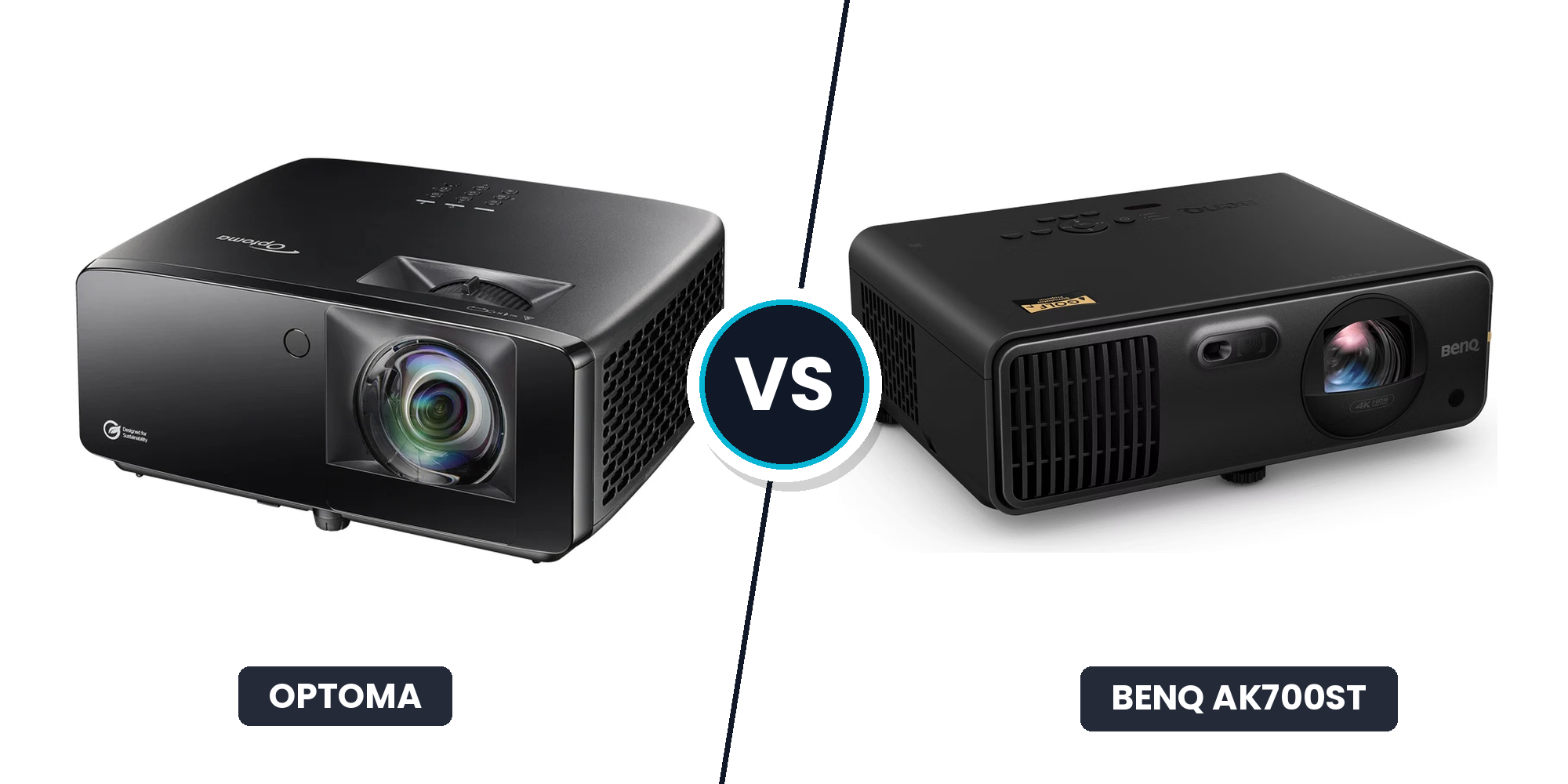
BenQ AK700ST vs Optoma GT2400HDR (2026): Which Fits Your Sim?
In the BenQ AK700ST vs Optoma GT2400HDR matchup, room depth decides the call. If you are depth-constrained and need the lens closer to avoid swing shadows, the Optoma GT2400HDR is the better fit. If you want painless dialing-in on custom enclosures with Auto Screen Fit and Golf Mode, the BenQ AK700ST is the safer install.
Matching projector throw ratio and lumens to your space beats chasing raw specs. Here is how their throw math, latency, and total costs stack up.
Throw Distance and Room Fit: Calculating Placement in Your Bay
In a golf simulator build, picking the wrong projector throw ratio forces immediate compromises. Place the projector too far back, and your body casts a massive shadow across the impact screen on every swing. Place it too close without the right lens, and you will never fill the screen width.
Before drilling holes in your ceiling, you need the actual math for your space.
The Throw Distance Formula
Calculating projector placement is straightforward once you focus on screen width:
`Throw Distance = Screen Width × Throw Ratio`
Always measure the viewable width of your impact screen in feet or inches, not the diagonal screen size. If your hitting enclosure has a viewable width of 10 feet (120 inches), that 10-foot measurement is your baseline multiplier.
Understanding these dimensions alongside your overall golf simulator room size basics ensures your hitting strip, enclosure, and mount points work together seamlessly.
Optoma GT2400HDR Room-Fit Profile
The Optoma GT2400HDR uses a fixed short-throw lens with an ultra-short 0.50:1 throw ratio.
On a standard 10-foot wide screen, the math puts the GT2400HDR lens exactly 5.0 feet from the impact surface:
`10 ft width × 0.50 throw ratio = 5.0 ft throw distance`
Placing the lens 5 feet from the screen is a massive advantage in shallow rooms. Because most golfers hit from 8 to 10 feet away from the screen, a 5-foot projector placement keeps the unit well in front of the tee box. Your body stays behind the light beam, virtually eliminating cast shadows on the turf and screen.
The tradeoff is installation precision. The GT2400HDR has no optical zoom. If you mount it a few inches off, your image will spill over the borders or leave unprojected gaps on the fabric. You must position the bracket at the exact calculated spot to fit your frame.
BenQ AK700ST Room-Fit Profile
The BenQ AK700ST uses a specialized short-throw lens with optical zoom, offering a flexible throw ratio range between 0.69:1 and 0.83:1.
Running that same 10-foot wide screen baseline shows the installation range:
`10 ft width × 0.69 throw ratio = 6.9 ft minimum distance`
`10 ft width × 0.83 throw ratio = 8.3 ft maximum distance`
That 1.4-foot margin is pure installation insurance. If a ceiling joist, light fixture, or garage door opener blocks a specific spot, you can shift the projector along that window and use the physical zoom ring to fill the frame cleanly. BenQ pairs this with onboard installation helpers like Auto Screen Fit to eliminate setup guesswork.
However, placing the lens at roughly 7 to 8 feet means the projector sits much closer to your swing zone if your tee location is at 8.5 or 9 feet.
The Shadow and Swing Path Checklist
Before finalizing ceiling mount hardware for either unit, run through three real-world bay checks:
- The Backswing Clearance Check: Stand on your hitting mat and raise a club to the top of your backswing. With the BenQ sitting 7 to 8 feet out, verify you have at least 12 to 18 inches of clearance between the clubhead and the chassis.
- The Shadow Intersection Test: If you hit from 8 feet away, Optoma's 5-foot beam shoots completely ahead of you. The BenQ sits closer to your stance, meaning tall golfers with upright swings need sufficient ceiling height (ideally 9.5 to 10 feet) to keep their shadow off the lower screen.
- Mixed Righty/Lefty Setups: If your bay uses a centered hitting strip for both lefties and righties, throw distance is forgiving. If you hit from an offset stance toward one side of the room, closer lens placement like Optoma's helps prevent wide-angle body shadows across the hitting zone.
The Room-Fit Mini-Conclusion
If your room has shallow depth, your ceiling is under 9.5 feet, or you want the projector comfortably in front of the tee box to guarantee zero shadows, the Optoma GT2400HDR has the clear physical advantage. Just prepare to measure your mount bracket down to the exact inch.
If you have at least 9.5 feet of ceiling height, hit from 9 to 10 feet back, and want the placement flexibility of optical zoom to dodge ceiling obstructions, the BenQ AK700ST is the smarter choice.
Image Quality, Screen Alignment, and Input Lag Compared
When you stand 8 to 12 feet from an impact screen, you are looking at a textured woven fabric, not a glossy television. Projector performance in a simulator bay comes down to three practical questions: how easily the image fills your enclosure, how legible course details look on the fabric, and whether you notice a delay between the crack of the club and the ball flight on screen.
BenQ AK700ST: Golf-Dedicated Alignment and 4K Clarity
The BenQ AK700ST is built specifically for the quirks of home golf simulators.
Its standout feature is an automated setup suite that includes Auto Screen Fit, digital corner fitting, and motorized focus. Most DIY hitting enclosures do not match a clean 16:9 broadcast rectangle. A 10x8-foot enclosure sits closer to a 4:3 or 5:4 aspect ratio. Instead of manually wrestling with mount shims and keystone menus to eliminate black borders, the AK700ST lets you remap and square the projected area directly to your enclosure frame in minutes.
On visual fidelity, the AK700ST delivers true 4K UHD output. On a standard 1080p projector, fine aiming grids, green elevation contours, and text overlays in GSPro or FSX Play can look soft against textured screen fabric. The 4K resolution sharpens those interface elements and gives tree lines and fairway textures cleaner edge definition.
BenQ also includes a dedicated Golf Mode color profile. Rather than spending hours calibrating RGB levels, Golf Mode dials in natural turf greens and sky blues out of the box, preventing fairways from looking radioactive or washed out.
The catch is system overhead. Driving smooth 4K simulation requires serious graphics horsepower. Before picking the BenQ for its resolution, check your PC build against current golf simulator PC requirements to ensure your GPU can maintain stable frame rates at 3840x2160.
Optoma GT2400HDR: Native 1080p Simplicity and Fast Refresh
The Optoma GT2400HDR approaches the screen from an ultra-low-latency, 1080p foundation. It accepts a 4K HDR input signal, but downscales to display a native 1080p image.
Where the Optoma stands out is high-refresh responsiveness. In its Enhanced Gaming Mode at 1080p/120Hz, input lag drops below 9 milliseconds, reaching roughly 4 milliseconds at 240Hz. At standard 1080p/60Hz, it runs around 16 milliseconds.
For sim golf, any input lag under 20 milliseconds feels instantaneous from impact to ball flight rendering. The sub-10ms figures on the Optoma will not change your handicap, but they provide snappy, immediate feedback if you also use your simulator bay to play fast-paced PC or console games.
The limitation is alignment friction. The GT2400HDR relies on basic manual geometric correction. If you project a native 16:9 signal onto a 4:3 screen (like a 10x8 bay), you must either accept letterboxing, configure custom resolutions inside Windows, or use digital keystone correction, which introduces slight image softness and increases input lag.
The Realities of Screen Aspect Ratios
Before deciding, look at your physical screen shape:
- Native 16:9 screens (such as 12x7 feet): Both projectors easily fill the screen with edge-to-edge sharpness. The BenQ provides finer pixel density, while the Optoma runs on a less demanding PC signal chain.
- Custom or 4:3 screens (such as 10x8 feet): The BenQ handles non-standard enclosure proportions with its custom screen fill and auto-fit software. The Optoma requires manual GPU custom-resolution tuning to avoid wasting vertical screen real estate.
The Image and Latency Mini-Conclusion
If you have a custom or non-standard enclosure, want out-of-the-box color presets for turf, and have a GPU powerful enough to drive 4K course detail, the BenQ AK700ST is the practical winner.
If your setup uses a standard 16:9 screen, you run a mid-tier gaming PC, and you prioritize rock-bottom input lag for multi-use gaming and sim golf, the Optoma GT2400HDR delivers everything you need at native 1080p.
Brightness, Dust Resistance, and 3-Year Total Cost of Ownership
In a real garage build, projector brightness is not an abstract spec sheet number. It is the practical difference between tracking your ball landing on a sunlit fairway with the garage door cracked open, and staring at a washed-out grey sheet. Just as important is whether that optical engine can survive three years of sawdust, lawnmower exhaust, and summer humidity without turning blurry.
Brightness and Ambient Light in Real Garages
Rated lumens only tell half the story. Both the BenQ AK700ST and the Optoma GT2400HDR output roughly 4,000 lumens from solid-state laser engines.
In a dark basement with a standard 1.0-gain impact screen, 4,000 lumens delivers vivid contrast. But in a garage with ambient light entering through windows or bouncing off light drywall, raw brightness behaves differently on each unit:
- Optoma GT2400HDR: Prioritizes raw peak white output. It cuts through ambient daylight to keep simulator courses readable even during daytime sessions.
- BenQ AK700ST: Prioritizes color accuracy. Its dedicated Golf Mode balances turf greens and sky blues so fairway contours stay distinct without blowing out image highlights.
Dust Sealing, Thermals, and Garage Durability
The real failure mode in a working garage is rarely a sudden electrical blowout. It is fine airborne dust settling onto internal optics, creating a slow haze and focus softness that creeps in over time.
The Optoma GT2400HDR carries an IP6X-rated sealed optical engine, meaning its core is completely dust-tight. If your hitting bay shares space with lawn equipment, woodworking dust, or road grime, the Optoma holds a clear edge in physical protection.
The BenQ AK700ST also uses a dust-resistant enclosed laser path, but its motorized lens elements benefit from a cleaner space to preserve long-term focus precision.
Mounted overhead, both units produce audible fan noise around 30 to 34 dB under full load. Switching to Eco mode quiets operation with minimal brightness loss. If you build a DIY hush box, ensure adequate ventilation so thermal throttling does not shorten laser life.
3-Year Total Cost of Ownership
Both projectors use solid-state laser light sources rated for 20,000 hours, eliminating lamp replacements. However, supporting hardware and PC demands create a wide split in actual total investment.
Before purchasing, check our complete golf simulator total cost breakdown to budget all simulator components.
| Expense Line Item | Optoma GT2400HDR (1080p Build) | BenQ AK700ST (4K Build) |
|---|---|---|
| Projector Hardware | ~$1,399 | ~$2,499 |
| Heavy-Duty Ceiling Mount & Hardware | $80 | $120 |
| 30ft Fiber Optic HDMI Cable | $50 | $60 |
| PC / GPU Hardware | ~$800 (RTX 3060 / 4060 class) | ~$1,500 (RTX 4070 Ti / 4080 class) |
| Maintenance & Lamp Replacements | $0 (Laser Engine) | $0 (Laser Engine) |
| Estimated 3-Year Hardware Total | ~$2,329 | ~$4,179 |
The Durability and Value Mini-Conclusion
If your sim sits in an unconditioned, dusty garage and you want maximum ambient-light visibility without spending $1,500 on a 4K gaming PC, the Optoma GT2400HDR is the practical, durable pick.
If your bay is clean, finished, and you want dedicated golf color profiles, motorized setup tools, and true 4K resolution that justifies a more capable computer, the BenQ AK700ST is worth the premium.
Which Projector Fits Your Simulator Build?
Choosing between the BenQ AK700ST and Optoma GT2400HDR comes down to three real drivers: throw distance and room fit, simulator alignment software, and garage durability versus 4K detail. Neither projector is universally better. The right pick depends entirely on your room dimensions, light control, and PC budget.
Segment 1: Small-Depth Bays and Shadow-Sensitive Rooms
Recommendation: Optoma GT2400HDR
If your bay has shallow depth or low ceiling clearance, the Optoma's fixed 0.50:1 throw ratio is the decisive spec. Mounting 5 feet away for a 10-foot wide screen keeps the unit safely in front of your tee box, preventing body shadows across the hitting zone on upright swings.
Before buying, verify your screen width down to the inch and confirm ceiling mount points on the official throw chart. Because the Optoma lacks optical zoom, your mount position must be exact.
Segment 2: Custom Enclosures and Non-Standard Screens
Recommendation: BenQ AK700ST
If you use a non-standard 4:3 or 5:4 enclosure like a 10x8-foot frame, the BenQ saves hours of setup frustration. Its motorized optical zoom (0.69 to 0.83:1) and Auto Screen Fit software snap the image directly to your borders without manual custom resolutions or aggressive digital keystoning.
The caveat: these alignment tools offer little advantage if you project onto a standard 16:9 impact screen where native scaling works automatically.
Segment 3: Dusty Garages, Ambient Light, and Value Builds
Recommendation: Optoma GT2400HDR
For unconditioned garage bays with open doors, the Optoma offers better day-to-day survivability. Its IP6X sealed optical engine blocks dust and grime, while its high-contrast laser cuts through daylight. You accept native 1080p output rather than 4K sharpness, but you save roughly $1,100 on hardware and can run your software on a budget graphics card.
Segment 4: Detail-First 4K Builds with Dedicated PCs
Recommendation: BenQ AK700ST
If you want razor-sharp course details, crisp text, and balanced greens through Golf Mode, the BenQ is the premium visual pick. The hidden cost is computing power. Driving GSPro or FSX Play at full 4K UHD requires a dedicated gaming PC with at least an RTX 4070 Ti class GPU.
Your Pre-Purchase Bay Checklist
Before drilling into ceiling joists, confirm these four measurements against the segments above:
- Viewable screen width: Multiply width by 0.50 for the Optoma or 0.69 to 0.83 for the BenQ to find your lens position.
- Tee box offset: Ensure the lens hangs ahead of your swing zone to avoid head shadows.
- Ceiling clearance: Leave 12 to 18 inches between your driver swing path and the chassis.
- Ambient light level: Choose sealed optics for exposed garage bays, or 4K color accuracy for light-controlled rooms.
If you are still mapping out options across different budgets, check our roundup of best golf projector 2026 picks.
Frequently Asked Questions
Is the BenQ AK700ST or Optoma GT2400HDR better for a 10'×8' impact screen?
The BenQ AK700ST is easier to set up on a 10x8-foot screen because its Auto Screen Fit and optical zoom adjust to non-standard 4:3 enclosures without tedious manual image warping. A 10x8-foot enclosure requires filling the 10-foot width first. The Optoma requires an exact 5.0-foot throw distance and custom GPU resolutions to avoid letterboxing, while the BenQ allows mounting anywhere between 6.9 and 8.3 feet.
Which projector is better in a bright garage with ambient light?
Both output roughly 4,000 lumens, but the Optoma GT2400HDR cuts through bright garage ambient light slightly better due to its high peak white output. However, physical light control matters more than lumens. Block sunlight coming from behind your hitting strip first, keep direct ambient light off the screen, and use focused spotlighting over the ball to preserve image contrast.
Do I actually need 4K for GSPro or E6 Connect?
No, 1080p resolution looks sharp on textured impact screens, making 4K a visual luxury rather than a necessity. Because woven fabric naturally softens fine pixels, 1080p provides great immersion for most players. True 4K is only worth the cost if you want razor-sharp UI text and green contours, and already own a high-end graphics card capable of driving 3840x2160 at 60 frames per second.
Does input lag matter for golf simulator software?
Any input latency under 20 milliseconds feels instantaneous from club impact to screen ball flight. The Optoma GT2400HDR drops below 9ms in its 1080p/120Hz Enhanced Gaming Mode, which is helpful if you also play fast-paced console games in your bay. In standard 4K simulation modes, latency increases slightly on both units but remains completely unnoticeable during golf swings.
Which projector is safer for a dusty garage or workshop?
The Optoma GT2400HDR is more durable in dusty spaces thanks to its IP6X-rated sealed optical engine, which completely prevents fine dust and exhaust from settling on internal lenses. To protect either projector, mount the chassis away from direct exterior door drafts, keep overhead heaters pointed away from intake vents, and clean external filters periodically with compressed air.
What is the real all-in cost beyond the projector sticker price?
Beyond the projector unit, expect to spend an extra $900 to $1,800 to complete your video setup. Essential supporting gear includes:
- Heavy-duty ceiling mount bracket: $80 to $120
- Active fiber-optic HDMI cable (30 to 50 ft): $50 to $70
- Compatible golf simulator impact screen or enclosure frame: $300 to $800
- Dedicated gaming PC or GPU upgrade: $800 (for 1080p) to $1,500+ (for 4K)
Related Guides
Square Golf Omni vs Rapsodo MLM2PRO (2026): Best Budget Pick?
Comparing the Square Golf Omni vs Rapsodo MLM2PRO? Compare indoor accuracy, room depth needs, and 3-year costs to choose the best launch monitor for your sim.
Foresight GC3S vs GC3 (2026): What's Actually Different?
Compare the Foresight GC3S vs GC3 to see differences in software subscriptions, club data, and 3-year costs. Find out if upgrading is worth it for your setup.
FlightScope Mevo Gen 2 vs Mevo+ (2026): Should You Upgrade?
Comparing Mevo Gen 2 vs Mevo Plus? Discover if upgrading is worth the cost, how indoor room depth compares, and whether the new hardware improves accuracy.