
Foresight GC3S vs GC3 (2026): What's Actually Different?

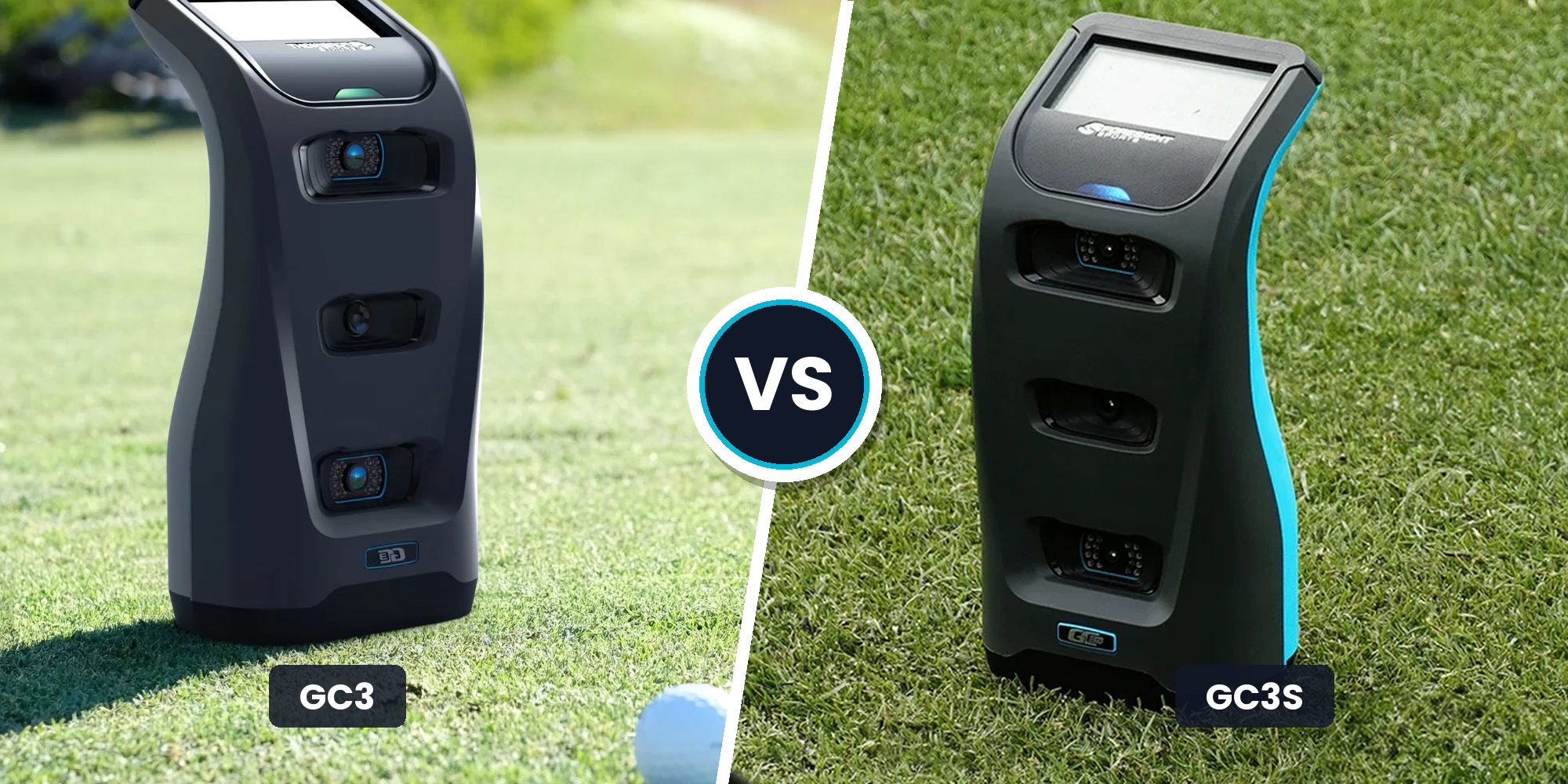
Foresight GC3S vs GC3 (2026): Should You Upgrade?
In the Foresight GC3S vs GC3 comparison, the newer launch monitor is not a straight upgrade. It is a subscription swap.
If you bought a GC3 to avoid recurring software fees and keep perpetual club delivery data, keeping your unit is the rational move. If you want to free up upfront cash and do not mind paying $499 per year for Gold access, the GC3S works.
Here is what you gain, what you lose, and the three-year math.
Ball Accuracy vs Club Delivery: What Data You Actually Get
If you already own a GC3, you know the ball data is tour-grade. Both the GC3 and the newer GC3S share Foresight's three-camera photometric engine, so ball speed, launch angle, and spin numbers are virtually identical. The real divide is not ball tracking. It is club delivery fidelity, which parameters you can access, and what is locked behind a paywall.
Foresight GC3: Unlocked Club Delivery
The main reason golfers pay $7,000 for a standard GC3 is permanent, direct club delivery capture. Using club markers, the GC3 directly measures club path, angle of attack, clubhead speed, and smash factor.
For dialing in wedge gapping, optimizing driver launch, or running fittings, these measured metrics are essential. Crucially, this workflow is fully unlocked out of the box. You never pay a recurring fee to see what your clubface did through impact, making it a permanent fixture for teaching bays.
Foresight GC3S: The Gated Data Model
The GC3S shifts to a subscription-gated model, as detailed in our Foresight GC3S review. While the optical cameras capture ball flight with standard Foresight precision, club data access depends on your active subscription tier.
In real coaching setups, this model creates friction. Lower software tiers restrict deeper club diagnostics, including face-angle relationships and impact location certainty. If your subscription lapses, club analytics disappear entirely, reducing the unit to basic ball tracking.
Mini-Conclusion: Which Data Model Fits Your Bay?
This criterion hinges on whether your launch monitor is a diagnostic tool or an entertainment engine:
- Keep your GC3 if you actively coach, fit clubs, or need perpetual club delivery measurements without recurring software fees.
- Consider the GC3S if you primarily play sim rounds, care most about ball flight realism, and can accept gated club data in exchange for lower upfront hardware pricing.
Software and Subscriptions: FSX Play, GSPro, and the Recurring Cost Gate
Choosing between these launch monitors in the Foresight GC3S vs GC3 matchup is less about hardware and more about licensing. Upgrading to the GC3S can accidentally turn a zero-fee simulation setup into a mandatory annual expense just to hit balls into a virtual fairway.
GC3S: The Tiered Paywall
The GC3S relies on Foresight's tiered subscription model. The unit includes one year of the top-tier Gold plan, but maintaining full functionality requires an ongoing subscription:
- Silver Tier ($199/year): Unlocks standard range tools and basic practice features.
- Gold Tier ($499/year): Unlocks full FSX Play course play, full club analytics, and third-party software integration.
The hard truth about the GC3S is the software paywall. If your subscription lapses, course play and Club Mode are disabled. If your primary goal is running third-party software like Awesome Golf or building a setup around what launch monitors work with GSPro, you are locked into the $499 per year Gold tier. Third-party simulation also requires a capable gaming PC with a dedicated GPU, adding hardware expense on top of recurring software fees.
GC3: Perpetual Ownership
The original GC3 operates on a traditional perpetual license. Once you purchase your hardware bundle, your core FSX Play and FSX 2020 licenses belong to you permanently. Foresight does not charge a mandatory annual maintenance fee to keep your simulator bay running.
You may still choose to pay for optional add-ons, such as individual premium courses or an annual GSPro membership. The difference is that those are optional upgrades rather than mandatory paywalls required to keep your unit functional.
Mini-Conclusion: Which Licensing Model Fits Your Setup?
- Stick with the original GC3 if you want perpetual software access and refuse to pay $500 every year just to keep your simulator operational.
- Choose the GC3S if you prefer a lower upfront entry cost and do not mind budgeting an ongoing $499 annual software fee to maintain course play and third-party access.
3-Year Cost of Ownership: The Upgrade Math and Resale Reality
For a current owner, the Foresight GC3S vs GC3 decision is never just checkout price. The real question is what switching costs you after selling your current unit, and what annual subscription fees you commit to over the next three years.
When you factor in a golf simulator total cost breakdown, three clear scenarios emerge.
Scenario A: Keep Your GC3
- Hardware cost: $0.
- Years 1 to 3 subscriptions: $0 required. FSX Play and club data stay permanently unlocked.
- Optional software: $250 per year if you run GSPro.
- 3-Year total: $0 (or $750 with GSPro).
Scenario B: Sell GC3, Buy GC3S
- Upfront cash outlay: GC3S hardware price minus private resale on your used GC3.
- Year 1 subscription: $0 (Gold tier included).
- Years 2 and 3 subscriptions: $998 ($499 per year to renew Gold for simulation, club data, and third-party access).
- Optional software: $250 per year for a separate GSPro membership.
- 3-Year total: Net hardware cost + $998 in required Gold renewals (+ $500 for GSPro).
Scenario C: Keep the GC3 and Reallocate Budget
Instead of funding a side-grade launch monitor, putting that money toward your room yields a bigger real-world upgrade. As of 2026, commonly listed improvements like a premium low-noise impact screen, a dedicated laser projector, a proper hitting mat, or a faster GPU for GSPro improve everyday use without adding recurring annual fees.
The Resale Reality
Trade-in programs through authorized dealers are rarely clean or standardized. If you sell your GC3 to fund a GC3S, always confirm software entitlement transfer rules in writing with Foresight or your dealer. Unplanned license transfer fees will quickly eat into your resale margin.
Mini-Conclusion: Which Math Wins?
- Keep your GC3 if you hold onto hardware for 5+ years. A perpetual license always beats paying $499 annually to keep the same core photometric engine running.
- Buy the GC3S if you churn hardware every two to three years and can capture top-dollar private resale on your existing GC3 before market depreciation sets in.
Space Requirements, Bay Setup, and Everyday Practicality
Upgrade evaluators rarely get burned by raw specs. They get burned when a launch monitor introduces daily setup friction or clashes with room geometry. If getting a practice session started feels like a chore, you hit fewer balls.
Space Requirements and Footprint
Both the GC3 and GC3S rely on side-mounted photometric camera systems. Unlike radar units that demand 14 to 16 feet of room depth with significant clearance behind the tee, these units sit parallel to the ball.
Your real constraint is never clearance behind the ball. It comes down to safe swing clearance and adequate ball-to-screen rebound space. When planning your golf simulator room size, both units operate comfortably in 10 to 12 feet of total room depth with a 9 to 10-foot ceiling. In physical footprint and clearance math, the two units are functionally identical.
Indoor Misreads and Outdoor Sunlight
Indoors, neither unit struggles with normal ambient lighting. When misreads happen, the culprit is almost always physical alignment drift rather than camera failure. If your hitting strip shifts or your mat compresses under your stance, the hitting zone moves out of frame. Pairing either unit with a rigid, level mat prevents dropped shots.
Outdoors, high-glare sunlight can occasionally challenge optical cameras, but both units hold up reliably on the range. Setup speed is identical. You set the unit down, drop an alignment stick, calibrate your target line, and start hitting.
The Lefty/Righty Reality
Because both devices sit directly opposite the golfer, accommodating both left-handed and right-handed players in the same session is an active nuisance. You must physically move the launch monitor across the mat, level the feet, and re-aim for each switch. Neither unit solves this floor-mounted limitation.
Mini-Conclusion: Which Workflow Fits Your Room?
- Keep your GC3 if your home bay is already dialed in and you have zero reason to disrupt a workflow that runs seamlessly.
- Choose the GC3S if you are building out a new space from scratch, want the compact photometric footprint, and are comfortable managing the ongoing subscription structure.
Foresight GC3S vs GC3: The Upgrade Verdict
The Foresight GC3S is not an upgrade in tracking accuracy or camera hardware. It is a shift in ownership models and feature access. For existing GC3 owners, switching means trading perpetual hardware ownership for ongoing subscriptions, and that trade rarely works in your favor.
If You Bought the GC3 to Avoid Subscriptions: Keep Your GC3
If you chose the GC3 specifically to avoid annual fees, stay put. You already own perpetual licenses to FSX Play and fully unlocked club data. Moving to a GC3S introduces a $499 yearly Gold fee just to maintain the same simulation features and third-party software access. Confirm what software you actually launch each week before taking on recurring costs.
If You Want to Free Up Cash for Bay Upgrades: Consider the GC3S
Selling your GC3 can make sense if that tied-up capital completes the rest of your room, whether that means a better PC, an enclosure, or a dedicated golf projector. The GC3S lets you pocket cash upfront, but only make this move if you accept the ongoing $499 annual Gold fee. Run the three-year net math against used resale prices first.
If You Need Club Delivery Data for Fitting: Keep Your GC3
If you teach, fit clubs, or rely on swing diagnostics, switching to the GC3S is the wrong move. The original GC3 includes permanent club delivery metrics out of the box. On the GC3S, letting your subscription lapse locks away club data entirely, turning a dedicated diagnostic tool into a basic ball-only monitor.
If You Only Play Casual Sim Golf: The GC3S Can Work
For casual players who treat their bay strictly as winter entertainment, the GC3S ownership model is viable. Just beware of the subscription lock. If you pause your annual plan during warmer months, you do not just lose course updates. You lose third-party connectivity and full simulator access entirely.
The Upgrade Decision Checklist
Before making a move, run through these four questions:
- Software: Do you need third-party integrations that require an active Gold tier?
- Subscription fees: Are you willing to pay $499 every year to keep your bay running?
- Club analytics: Do you actively rely on club path and impact data during practice?
- Resale value: Does selling your GC3 net enough cash after transaction fees to cover future subscription costs?
If you refuse annual fees or value permanent club data, keep your GC3. It remains one of the smartest long-term hardware investments in home simulation.
Frequently Asked Questions
Is Foresight GC3S ball accuracy better than the GC3?
No, the GC3S and GC3 deliver identical ball-tracking accuracy because both units share the exact same three-camera photometric engine. Ball speed, launch angle, push angle, and total spin numbers match across both devices. The actual difference between the two models lies in software licensing and paywalled club delivery metrics, not raw ball physics.
Do I need a subscription to use GSPro with the GC3S?
Yes, you need an active Foresight Gold subscription ($499 per year) to enable third-party software integration on the GC3S. That recurring cost sits on top of your separate $250 annual GSPro software license. If you drop down to a lower tier or cancel, third-party software access is disabled.
What happens if I cancel the GC3S subscription after Year 1?
If your GC3S subscription lapses, you lose access to FSX Play course simulation, third-party software connections, and measured Club Mode data. The launch monitor drops down to basic, ball-only driving range practice. The unit will still capture ball data, but all simulator gameplay and advanced club analytics stay locked.
At what point does a GC3 become cheaper to own than a GC3S?
A perpetual GC3 usually becomes cheaper between year three and year five of ownership. While the GC3S has a lower initial retail price, the mandatory $499 annual Gold renewals compound over time. For golfers with a long-term ownership horizon of five or more years, owning perpetual software licenses eliminates recurring costs entirely.
Is there an official trade-in path from the GC3 to the GC3S?
Foresight does not offer a guaranteed, factory-standard trade-in program for original GC3 owners. Any upgrade offers depend on individual authorized dealer promotions. If you plan to sell your GC3 privately to fund a GC3S purchase, always confirm software entitlement transfer rules and fee details directly with Foresight beforehand.
Is the GC3S the same as a Bushnell Launch Pro?
The GC3S and Bushnell Launch Pro use the same core Foresight photometric hardware, but they feature different subscription tiers, branding, and bundled software licenses. Bushnell hardware is tied to Bushnell-specific subscription packages, while Foresight SKUs follow Foresight ecosystem pricing. Always verify which software features are permanently unlocked before buying any used device.
Related Guides
FlightScope Mevo Gen 2 vs Mevo+ (2026): Should You Upgrade?
Comparing Mevo Gen 2 vs Mevo Plus? Discover if upgrading is worth the cost, how indoor room depth compares, and whether the new hardware improves accuracy.
TruGolf LaunchBox Review (2026): All-in-One Sim in a Box
Read our in-depth TruGolf LaunchBox review. Discover real-world accuracy, subscription-free E6 Connect courses, space requirements, and total setup costs.
Shot Scope LM1 Review (2026): Is the $200 Launch Monitor Worth It?
Our honest Shot Scope LM1 review covers real-world accuracy, indoor setup space, and pricing. Find out if this $199 monitor is right for your net practice.