
Rapsodo CLMPRO: First Look at the Overhead Six-Camera Launch Monitor

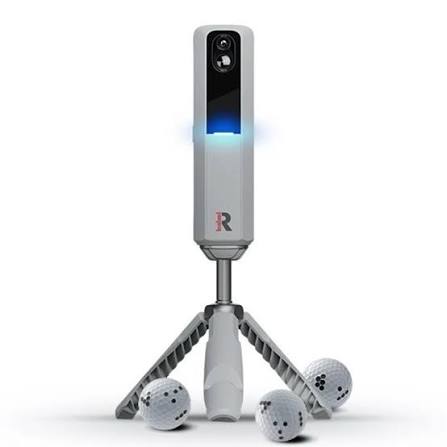
Rapsodo CLMPRO Review (2026): Should You Wait?
If you are tracking the overhead monitor space, this Rapsodo CLMPRO review separates confirmed hardware reality from early prototype hype. The ceiling unit looks promising on paper, but critical buying details like final price, subscription tiers, delivery timelines, and third-party accuracy validation remain unannounced.
This first look covers confirmed prototype claims, room clearance math, software ecosystem compatibility, and realistic three-year ownership costs. Here is what is verified before you put your simulator build on hold.
Rapsodo CLMPRO Specs: Confirmed Details vs. What We Still Don't Know
If you are thinking about holding off on a ceiling mount build, here is the honest baseline: the Rapsodo CLMPRO is currently a trade-show prototype, not a finished retail unit.
Rapsodo showcased the concept at the 2026 PGA Show as an overhead, fully optical launch monitor featuring a six-camera array. Reps pointed to a release target of "later this year," but did not commit to hard deadlines.
Here is what remains completely unconfirmed:
- Pricing and Subscriptions: There is no final MSRP, nor any official word on whether running third-party PC software requires an annual subscription like the MLM2PRO does.
- Hardware Specs: Rapsodo has not published hitting zone dimensions, ambient lighting tolerances, the exact club delivery data parameter list, or whether optical club tracking requires face stickers.
- Independent Performance Data: There is zero independent testing on latency, misread frequency, or how reliably the cameras measure spin versus modeling it on high-speed driver strikes.
The practical impact is straightforward. You can use the CLMPRO concept to sanity-check your ceiling height and rough budget scenarios, but you cannot plan an actual build calendar around it. You also cannot assume native GSPro or E6 Connect integration until official developer documentation drops.
This uncertainty matters most if you are actively weighing whether to wait or pull the trigger on proven ceiling-mounted hardware like the ProTee VX or overhead options from Uneekor. If your room is framed and you want to play golf this month, do not pause your timeline for unverified prototype promises.
Rapsodo CLMPRO Space Requirements: Ceiling Height and Room Depth
If a launch monitor cannot physically fit your room, specs and software do not matter. Builders look at ceiling-mounted hardware for two reasons: saving floor space and avoiding radar depth requirements. Moving cameras overhead eliminates floor clutter, protects hardware from stray balls, and drops required room depth from 16 feet down to roughly 12 to 14 feet.
Early PGA Show booth reports claim the Rapsodo CLMPRO can mount on ceilings as low as 9 feet. If confirmed in production documentation, that undercuts typical overhead systems that demand 9.5 to 10 feet of vertical clearance. An overhead design also keeps the ball closer to the screen without sacrificing tracking accuracy.
Before trusting provisional booth specs, verify three physical measurements:
- Ceiling height at the hitting strip: Measure to the lowest obstruction, including garage door opener tracks. Check our guide on minimum ceiling height for a golf simulator to verify driver clearance before worrying about the mount.
- Tee-to-mount alignment: Overhead cameras must anchor at a fixed distance relative to the ball. Confirm your ceiling joists allow placement in the required zone above the hitting mat.
- Room width for handedness: Overhead tracking allows seamless righty and lefty play. A centered hitting strip for true two-way play requires at least 13 to 14 feet of room width.
You cannot cheat camera geometry. If final production units require 9.5 feet of elevation to read the hitting box, software calibration cannot save an 8.5-foot basement. The CLMPRO matters most for garage and basement builders who have vertical clearance and want to bypass radar depth traps entirely.
Rapsodo CLMPRO Software and Compatibility: Will It Support GSPro?
Experienced sim builders know the golden rule: pick your simulation software first, then buy the launch monitor that runs it. Buying hardware and hoping your software of choice gets patched in later is a reliable path to expensive buyer's remorse.
At the PGA Show, demos showed the Rapsodo CLMPRO running on a dedicated PC application designed to anchor the ceiling unit inside a broader Rapsodo ecosystem. Early floor units used a direct wired connection to a gaming PC rather than mobile casting, though final port configurations and minimum PC hardware requirements remain unpublished.
For serious home simulator builds, the critical compatibility questions are still unresolved:
- GSPro: Not confirmed. Rapsodo has announced no native integration, official connector, or open API. Anyone tracking what launch monitors work with GSPro knows that relying on unofficial community workarounds is an unacceptable gamble for a permanent ceiling build.
- E6 Connect: Unknown. While the portable MLM2PRO pairs with E6 Connect, Rapsodo has not confirmed whether the overhead unit will license or support PC-based E6 gameplay.
- Walled garden risk: If third-party access is locked out or gated behind an expensive tier, you are stuck with Rapsodo's native course library. The MLM2PRO already locks simulation features behind a $99 per year subscription. A closed PC ecosystem means paying recurring fees just to use your own hitting bay.
Until launch pricing and compatibility notes drop, treat the PC app as an unverified promise. The Rapsodo CLMPRO will not make sense for GSPro-first builders or anyone allergic to surprise subscription paywalls until third-party access is locked in writing.
Total Cost: Building a Realistic Budget for the Rapsodo CLMPRO
Sticker prices in simulator hardware are notoriously misleading. As of late 2026, Rapsodo has not published an official MSRP or subscription schedule for the Rapsodo CLMPRO. Any prices on third-party retail listings remain unconfirmed speculation.
Even without an official sticker, you can build an honest three-year budget framework. Overhead setups carry peripheral expenses that portable floor monitors avoid. A realistic model covers four lines:
- Hardware unit: A placeholder expense until Rapsodo confirms retail pricing.
- Software membership: Do not expect a buy-once setup. Rapsodo gates simulation access and shot data on the MLM2PRO behind a $99 annual membership, so subscription costs are an established precedent rather than a hypothetical risk.
- Dedicated PC: The unit requires a direct tether to a Windows machine. Budget $800 to $1,400 for a capable desktop GPU to run simulation software smoothly.
- Mounting hardware: Budget $150 to $300 for rigid ceiling brackets, conduit, long-run USB or ethernet cabling, and bay lighting.
Overhead camera monitors generally run between $6,000 and $10,000 once software is included. Systems like the ProTee VX sit near $6,500 with no annual software fees, while Uneekor models run higher once software is added. Check our golf simulator total cost breakdown to see how overhead build costs compare against floor units.
This pricing gap matters most if you have a fixed build budget today. If you need definite numbers, choosing an established overhead monitor eliminates the guesswork. Waiting on the CLMPRO only makes sense if your budget can absorb an unconfirmed hardware price alongside likely recurring fees.
The Verdict: Should You Wait for the Rapsodo CLMPRO?
The Rapsodo CLMPRO could legitimately disrupt the overhead launch monitor market if it hits retail at an accessible price point with open software support. Today, however, it remains an unproven prototype story rather than a verified shipping product. Until production units land in independent hands for third-party spin and latency testing, you are evaluating marketing promises rather than retail reality.
| Category | Judgment |
|---|---|
| Release Readiness and Spec Confidence | Poor. Prototype hardware only, with no binding ship date, locked specs, or independent accuracy data. |
| Space and Install Fit | Promising. Potential 9-foot ceiling clearance and zero floor clutter fit tight garages and basements. |
| Software Openness and Compatibility | Unfavorable. No confirmed GSPro or E6 Connect integration, creating significant walled-garden risk. |
| Total Cost Transparency and Value Risk | High Risk. No published MSRP, unknown mounting hardware packages, and recurring software fees are likely. |
Who Can Rationally Wait
Hold off on upgrading if you already have a functional home bay running an MLM2PRO, Garmin R10, or SkyTrak+, and your main goal is overhead convenience for seamless righty and lefty play. If your current room works and you have no strict deadline to pull cables or mount brackets, waiting for official production specs and independent reviews carries zero risk.
Who Should Not Wait
Do not pause your simulator build if you are working against a fixed timeline, whether you have contractors scheduled, dryfall paint drying, or a commercial hitting bay opening date. If your setup requires native GSPro access on day one and you need predictable three-year ownership costs locked into a spreadsheet today, waiting on unverified hardware will stall your project indefinitely.
The primary weakness of the CLMPRO right now is complete uncertainty. With no confirmed retail price, no firm shipping date, an unannounced subscription framework, and zero independent validation against high-speed cameras, you cannot build a room around it today without taking on significant financial and layout risk.
If you are planning an overhead project, take these concrete steps:
- Measure your room dimensions now. Verify actual ceiling clearance at your follow-through arc and confirm at least 13 to 14 feet of width for a centered hitting strip.
- Select your simulation software before buying any hardware.
- Draft two financial models: an optimistic scenario where the CLMPRO ships at an accessible price with third-party software access, and a defensive budget where closed software or higher hardware tiers push costs toward established systems.
- If you must buy immediately, shortlist established overhead alternatives and evaluate them against these same criteria.
If your room is framed and you need hardware on your ceiling this month, compare verified options in our guide to the best new launch monitors 2026 rather than banking on a trade-show prototype.
Frequently Asked Questions About the Rapsodo CLMPRO
What is the Rapsodo CLMPRO release date?
Rapsodo has not announced an official release date for the CLMPRO. The device was unveiled as a hardware prototype at the 2026 PGA Show, with company reps only pointing toward a launch later in the year. Watch for an official Rapsodo product page, a published spec sheet, and independent third-party accuracy tests before committing your build schedule to it.
What will the Rapsodo CLMPRO price be?
Rapsodo has not officially confirmed the MSRP or subscription costs for the CLMPRO. Treat any specific price figures on forums as unverified rumors. To budget accurately for an overhead build today, model total costs rather than sticker price: hardware, likely annual software fees, a dedicated gaming PC, and ceiling mounting brackets.
Is the Rapsodo CLMPRO an overhead launch monitor, and how many cameras does it have?
Yes, the Rapsodo CLMPRO is an overhead optical launch monitor that uses a six-camera array. Show floor prototypes featured this multi-camera system to read ball and club delivery from above while keeping the floor clear. Because the unit remains in development, final production specs could change before commercial release.
What ceiling height do you need for the Rapsodo CLMPRO?
Rapsodo claims the CLMPRO prototype can mount on ceilings as low as 9 feet, but your swing arc dictates real clearance. A 9-foot mounting ceiling helps in tighter spaces, but you must still measure your driver swing to confirm you will not hit the ceiling. Practical swing clearance always overrides device mounting specs.
Does the Rapsodo CLMPRO require special golf balls or club stickers?
Rapsodo representatives have claimed the CLMPRO tracks normal balls without markings and measures club delivery without stickers, but this remains unverified. Many high-speed optical monitors require dots or marked balls to read true spin axis reliably. Treat sticker-free claims as provisional until production units undergo independent testing.
Will the Rapsodo CLMPRO work with GSPro or E6 Connect?
Neither GSPro nor E6 Connect compatibility has been officially confirmed for the Rapsodo CLMPRO. That software question is critical because buying hardware without verified integration risks getting trapped in a closed ecosystem. The golden rule of sim building applies here: choose your software first, then buy a launch monitor that natively runs it.
Related Guides
Uneekor EYE XR Review (2026): Overhead Launch Monitor for Home Sims
Read our honest Uneekor EYE XR review covering accuracy, room space requirements, GSPro costs, and whether this overhead launch monitor fits your home setup.
Bushnell LPi Review (2026): Bushnell's New Launch Monitor
Our Bushnell LPi review breaks down accuracy, software fees, and bay setup. Find out if this budget indoor launch monitor is worth the recurring costs.
Foresight GC3S Review (2026): The Updated Photometric Standard
Read our in-depth Foresight GC3S review to explore indoor accuracy, GSPro integration, space requirements, and the true 3-year cost of ownership.