
Golf Simulator for Small Rooms: Best Setups Under 12 Feet Deep

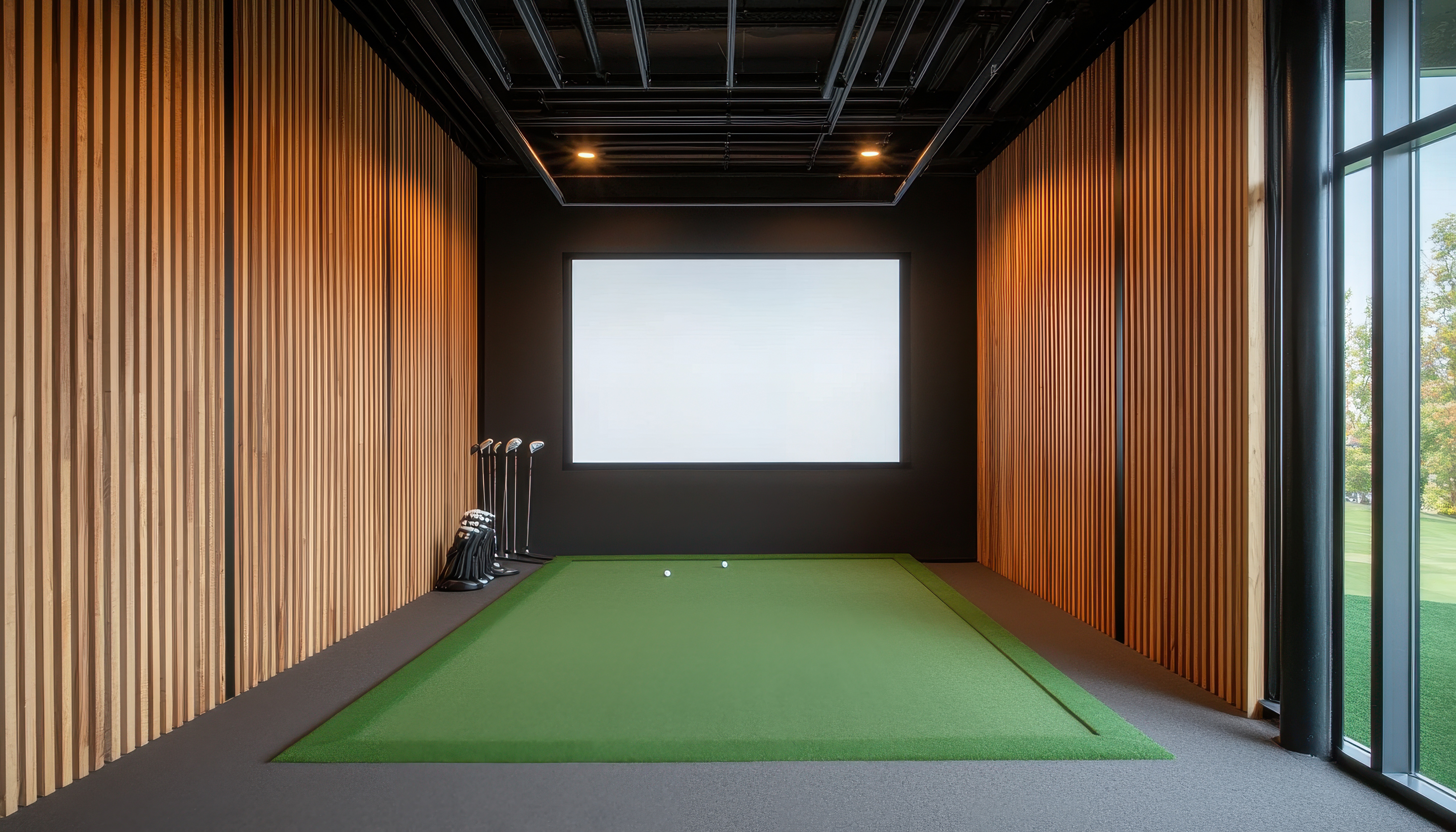
Golf Simulator Small Room Setups (2026): Best Builds Under 12 Feet Deep
If you are planning a golf simulator small room build with only 8 to 12 feet of depth, most generic guides suggest radar units that physically cannot fit.
Radar fails in tight spaces. Instead, camera-based side monitors and overhead units work perfectly in 8 to 10 feet of depth.
First, measure your usable depth the BAGS way. Then, use these three complete, buildable setups with real placement math and total costs to plan yours.
1. The SkyTrak+ Compact Build: The Best Golf Simulator Small Room Setup
If you have roughly 10 to 12 feet of total room depth, this is your blueprint. You get the simplest path to accurate indoor ball data without fighting radar physics. Because this camera-based launch monitor sits to the side of the ball, you do not need feet of clear tracking space behind your mat.
The Shallow Depth Math
To make a golf simulator small room build work, you must budget every inch. Here is the numbers-first breakdown for an 11-foot deep room:
- Screen buffer: 12 inches of space between the impact screen and the wall.
- Ball-to-screen distance: Exactly 7 feet. Do not go shorter, or your bounceback risk increases and virtual perspective gets distorted.
- Mat and player buffer: 3 feet for the mat and your swing stance.
This leaves you with 12 inches of buffer space behind your heels. Double-check your lateral spacing using the room size guide to ensure your width can accommodate off-center swings.
The Complete Component Build
Always make your software decision before buying hardware. For the plug-and-play simplicity of E6 Connect, the SkyTrak+ runs it natively. If you prefer the community-backed realism of GSPro, you must connect using a community-developed software API connector.
Here is the exact gear list for this build:
- Launch Monitor: SkyTrak+ ($2,495). You cannot purchase these brand new anymore; you are buying a certified pre-owned (CPO) unit directly from SkyTrak.
- PC: If running GSPro, you need a PC. Budget $1,000 for a dedicated gaming PC with an Nvidia RTX 3060 or better graphics card to handle 4K simulation courses smoothly.
- Enclosure: Use an 8-foot-class enclosure. The SIG8 frame has an 8-foot width and a 5-foot depth footprint. Alternatively, a Carl's Place DIY enclosure can be custom-ordered down to a 5-foot depth.
- Projector: You need a short-throw projector with a throw-ratio of 0.5 or lower. This allows ceiling mounting just in front of your hitting space, preventing body shadows while keeping the unit safely behind your swing path.
- Hitting Mat: Avoid cheap mats. Camera-based monitors read club data right at the impact zone, and cheap mats compress too much, sliding the unit or distorting path and face reads. Buy a premium option like a Fiberbuilt or TrueStrike.
3-Year Total Cost of Ownership
To see the true cost of this setup, look at the hardware, software, and subscriptions over a three-year period. The initial sticker price does not tell the whole story:
- CPO SkyTrak+ Hardware: $2,495
- SkyTrak Game Improvement Subscription ($19.99/month): $720
- GSPro Software License ($250/year): $750
- Gaming PC: $1,000
- Enclosure, Screen, Projector, and Mat: $2,600
- Total 3-Year Cost: $7,565
The Honest Tradeoffs
This small-room setup is highly accurate, but it comes with real tradeoffs. You are buying a certified pre-owned device, not a new one. At a 7-foot ball-to-screen distance, impact noise is louder and ball bounceback is fast. Finally, if you have players in your group with tall, upright driver swings, a tight room limits your swing dynamics. You also have fewer enclosure choices under 10 feet of room depth.
2. Bushnell Launch Pro: Tour-Grade Data for a Golf Simulator Small Room
For a golf simulator small room build under 12 feet deep, the Bushnell Launch Pro is an absolute powerhouse. Under its plastic shell sits the exact same triple-camera photometric engine used in the $7,000 Foresight GC3. You get commercial-grade ball and club data without the commercial price tag. Because it is camera-based, it is built to thrive in tight spaces.
Shallow Depth Math
Like the SkyTrak+ setup, this camera-based monitor sits to the side of the ball and reads launch data instantly without requiring radar flight distance. This keeps your depth requirements highly compact:
- Screen buffer: 12 inches between the impact screen and the wall.
- Ball-to-screen distance: Exactly 7 feet (going shorter increases bounceback risk).
- Mat and player buffer: 3 feet of swing space.
You can build a highly accurate system in an 11-foot deep room, which is a lifesaver for a tight basement setup. If that is your plan, check our basement guide to make sure you have the clearance before buying.
The Complete Component Build
For this build, decide on your software path before buying your hardware. Here is the exact list of components you need to complete the setup:
- Launch Monitor: Bushnell Launch Pro ($2,499).
- Software and PC: FSX Play is included. Running GSPro or E6 Connect requires a dedicated gaming PC. Budget $1,000 for a PC with an Nvidia RTX 3060 or better graphics card to handle 4K courses.
- Enclosure: Use a SIG8 enclosure (5-foot depth) or a Carl's Place DIY enclosure custom-ordered to a 5-foot depth. For a space-saving alternative, a HomeCourse retractable screen or a net with side curtains shrinks your permanent footprint to under 3 feet when not playing.
- Projector: Optoma GT1090HDR short-throw projector. Mount it to the ceiling just ahead of your swing path to avoid casting shadows.
- Hitting Mat: Fiberbuilt or TrueStrike. Cheap mats shift, throwing off camera alignment on floor-mounted monitors.
Software Compatibility and 3-Year Total Cost
Here is where the Bushnell ecosystem gets complicated. While FSX Play is included, running GSPro or E6 Connect requires the annual Gold subscription from Bushnell. This is a significant recurring cost many buyers overlook.
The 3-year total cost of ownership breaks down like this:
- Best-Case (FSX Play only): $2,499 hardware, $0 subscription, $1,000 PC, $2,600 enclosure, mat, and projector. Total: $6,099.
- Realistic-Case (GSPro Setup): $2,499 hardware, $499 annual Gold subscription ($1,497), $250 annual GSPro license ($750), $1,000 PC, $2,600 enclosure, mat, and projector. Total: $8,346.
The Honest Tradeoffs
The primary weakness is software lock-in. You are tethered to Bushnell's recurring subscription pricing just to use third-party options like GSPro. Additionally, the physical compromises of a tight room still apply. You will need side shank nets to protect your walls, guest seating is limited, and you must check your ceiling height to ensure your driver swing does not clip the roof.
3. Uneekor EYE XO Overhead Build: The Ultimate Golf Simulator Small Room Setup
If your room is so short that a floor-mounted launch monitor makes you claustrophobic, you have to look up. Shifting your tracking hardware to the ceiling is the only way to build a functional golf simulator small room setup when you have zero floor depth to spare behind the ball.
Why Overhead Solves the Depth Problem
Overhead systems provide a massive mechanical advantage. Mounting the Uneekor EYE XO to your ceiling reclaims every square inch of floor space behind and beside the hitting area.
The physical math for this compact layout is incredibly tight:
- Screen buffer: 12 inches of space between the impact screen and the back wall.
- Ball-to-screen distance: Exactly 7 feet.
- Player stance and swing buffer: 3 feet.
This overhead sensor placement lets your total room depth shrink to a true 8 to 10 feet. If you are also squeezed for lateral space, reference our room size guide to see how width affects this layout.
The Complete Component Build
Always make your software decision before mounting hardware. The EYE XO runs natively with Uneekor View software, but most builders pair it with GSPro. While GSPro is supported, it requires using Uneekor's third-party connector software, adding one quick step to your daily startup routine.
- Launch Monitor: Uneekor EYE XO ($7,500).
- PC Requirements: Overhead systems are not no-PC solutions. You need a dedicated gaming PC. Budget $1,200 for a machine with an Nvidia RTX 4070 GPU to run GSPro in high definition without lag.
- Enclosure: Because overhead installs are permanent, prioritize a heavy-duty enclosure with strong top and side protection.
- Projector Placement: To avoid hitting your projector, do not mount it in your swing path. Place it behind the overhead launch monitor or use an offset hitting setup with a protective housing.
- Safety Add-ons: Use side nets, a shank net on your danger side, and ceiling foam padding to protect the camera lenses from high-launching wedge shots.
Space Requirements and Ceiling Height Reality
While depth is solved, ceiling height becomes your make-or-break dimension. Do not trust a generic 9-foot minimum. Use our ceiling height guide to measure your actual swing clearance with a driver.
The EYE XO must mount between 9 and 10 feet high, and the physical mounting bracket plus the unit itself consumes 6 inches of vertical space. If you have an 8.5-foot ceiling in a tight basement, you will likely strike the ceiling on your follow-through.
3-Year Total Cost of Ownership
This is a premium, permanent setup. The initial sticker price does not include the PC or recurring software licenses.
- EYE XO Hardware: $7,500
- Uneekor Pro Package (for third-party software access): $1,197 ($399/year after the first year)
- GSPro License ($250/year): $750
- Gaming PC: $1,200
- Premium Enclosure, Screen, Projector, and Mat: $3,500
- Total 3-Year Cost: $14,147
The Honest Tradeoffs
This build has the highest entry cost and the most complex installation of any small room setup. It requires structural mounting to your ceiling joists and running cables behind walls. If you need a room that can be quickly packed away, this permanent install is not for you.
Frequently Asked Questions
Can I use a radar launch monitor in a room under 12 feet deep?
No, you cannot use a radar launch monitor like the FlightScope Mevo+ or Garmin R10 in a room under 12 feet deep. Radar units require at least 8 feet of ball flight plus another 7 to 9 feet of tracking space behind the ball to read shots. For rooms under 15 feet of total depth, you must use a camera-based side unit or an overhead system instead.
What is a realistic ball-to-screen distance in a 10 to 12 foot room?
A realistic ball-to-screen distance in a 10 to 12 foot room is 7 to 8 feet. Hitting from closer than 7 feet increases your bounceback risk and distorts your virtual perspective. Hitting from farther back does not leave enough space for your physical swing mat and backswing. Your screen also needs a dedicated buffer space behind it to flex safely.
How far should a golf simulator impact screen be from the wall?
An impact screen must be placed at least 12 inches away from the back wall. This 12-inch gap allows the screen material to flex during high-velocity driver impacts without the ball striking the hard wall behind it. If you use a looser DIY screen setup or hit high-speed shots, increase this buffer to 14 inches.
Is a 9 foot ceiling high enough for a home golf simulator?
A 9-foot ceiling is high enough for most average-height golfers, but it depends on your physical height, swing plane, and club selection. If you are over 6 feet tall, you will likely hit a 9-foot ceiling with your driver. Measure your real swing at the intended hitting spot while standing on your mat before buying.
What is offset hitting in a golf simulator and does it work?
Offset hitting means hitting off-center and using your simulator software to shift the virtual center-line to match your physical ball position. It works well in narrow rooms to keep your club clear of side walls. Keep your physical offset under 12 inches to prevent shanking balls directly into your side enclosures.
---
If you tell us your usable depth, width, ceiling height, and whether you need driver, you can pick the right build above in minutes.
Related Guides
Square Golf Omni Setup Guide (2026): First Run and GSPro Connection
Master your Square Golf Omni setup with our step-by-step guide. Learn exact Ready Zone dimensions, app calibration, and how to connect to GSPro cleanly.
How to Build a Golf Simulator in Your Garage: Step-by-Step (2026)
Learn how to build a golf simulator in your garage with this step-by-step 2026 guide. Get exact clearance dimensions, costs, and projector setup tips.
Golf Simulator for Small Rooms: Best Setups Under 12 Feet Deep
Need a golf simulator small room setup? Discover the best camera-based and overhead builds under 12 feet deep with real placement math, costs, and gear.