
Rapsodo MLM2PRO vs SkyTrak+: Is the Price Jump Worth It?

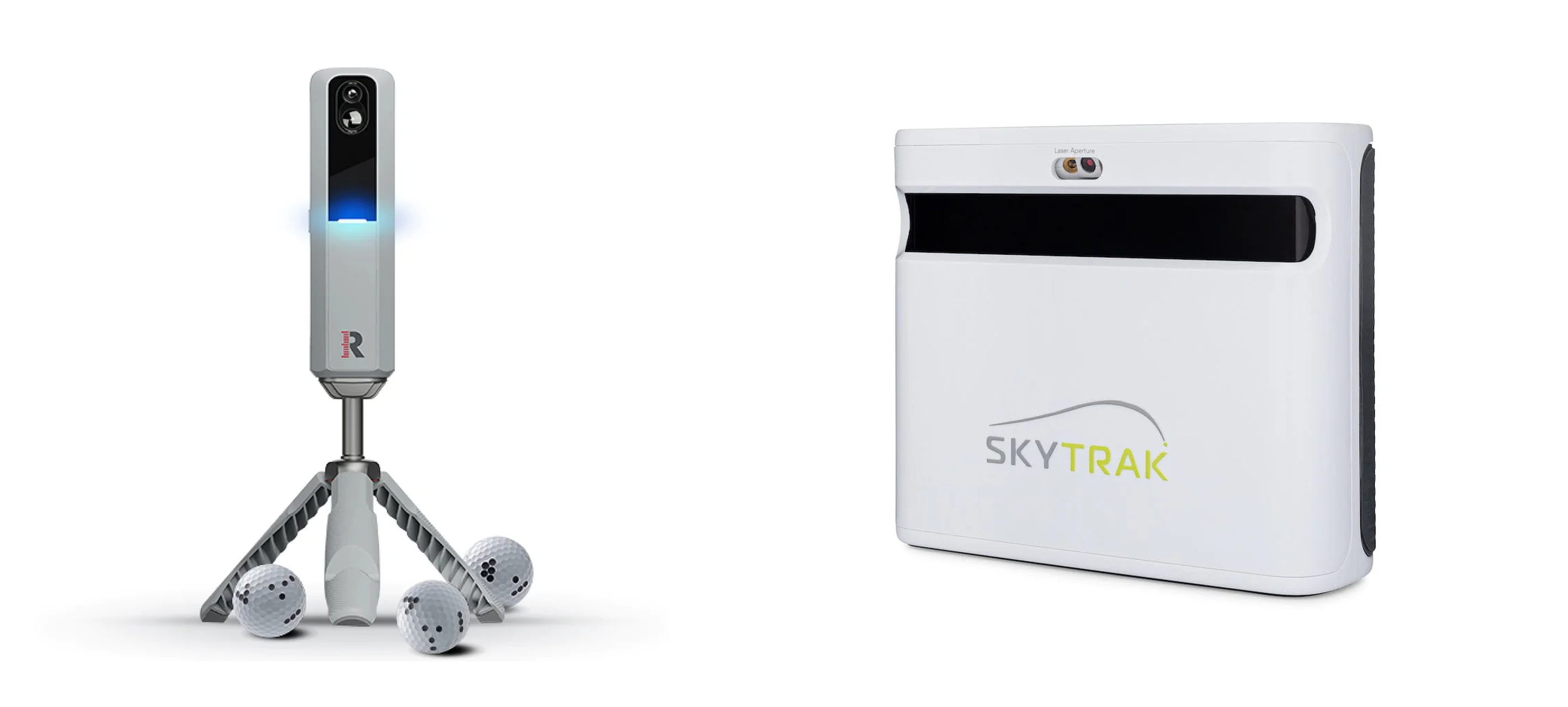
Rapsodo MLM2PRO vs SkyTrak+ (2026): Is the Price Jump Worth It?
Choosing between the Rapsodo MLM2PRO vs SkyTrak+ usually starts with a $699 budget and ends with you staring at a $3,000 decision.
The verdict is simple. If you want a dedicated indoor simulator with low friction and trusted data, the certified pre-owned SkyTrak+ justifies the extra cash. For mixed indoor and outdoor use, portability, and strict cost control, the MLM2PRO stays the smarter buy.
Here is how room depth, software, and real costs compare, starting with the high-stakes question of indoor accuracy.
Indoor Accuracy: Trusting the Spin and Launch Data
If you hit a pure draw but your screen shows a weak fade, your trust in the system breaks. If you cannot trust your carry distance, start line, and spin indoors, your simulator stops being a serious practice tool and becomes basic entertainment. You are paying for confidence, and this is where the hardware differences show.
The Rapsodo MLM2PRO uses a camera and radar hybrid. For irons and wedges, its indoor accuracy holds up exceptionally well in community testing, matching units three times the price. It also features dual-camera impact video to view your club path at strike.
However, driver data is a documented weakness. The MLM2PRO frequently under-reads driver spin, showing higher shot-to-shot variance that makes driver fitting or speed training frustrating. You also must use the proprietary RPT balls to get measured spin. Without them, the unit estimates spin, limiting its value for serious practice.
The SkyTrak+ uses an optical-first camera system paired with dual radar. As a photometric unit, it sits beside the ball and captures high-speed images immediately after impact, making it a reliable, set-and-forget indoor option that handles tight spaces well. It excels at measuring short-game spin and driver launch conditions on any standard ball without requiring decals or special markings. Though only available certified pre-owned (CPO) direct from SkyTrak as of 2026, its hardware provides highly repeatable, trustworthy data.
When comparing the Rapsodo MLM2PRO vs SkyTrak+, the accuracy gap shows up at the top of your bag. If your sessions revolve around driver gapping, fine-tuning spin, and shot-shaping you can trust, the SkyTrak+ is worth the higher investment. If you mostly hit irons, want useful swing video, and need to keep costs low, the MLM2PRO is accurate enough for the money.
The Reality of Indoor Simming: Accuracy is not just numbers. Misreads, no-reads, and spin omissions change how useful the session is.
Space Requirements: Room Depth and Placement Differences
If your launch monitor cannot physically sit where it needs to be, its accuracy is completely irrelevant. Room depth is the ultimate silent deal-breaker for home simulator builds, and it is the first bottleneck that will rule one of these units out of your garage or basement.
The Rapsodo MLM2PRO is a camera and radar hybrid. Because radar needs flight time to track the ball, the unit must sit 6.5 to 8.5 feet behind the ball, requiring at least 8 feet of clear ball flight in front of you. This demands an absolute minimum of 15 feet of total room depth. In a garage, this rear-placement design is highly sensitive to clutter; storage shelves, garage door openers, or foot traffic in that rear lane will disrupt the radar signal.
The SkyTrak+ is camera-based. It sits roughly 12 inches to the side of the ball, reading impact directly without caring about the space behind you. Because there is no rear-facing radar lane, you only need enough room depth to swing your longest club safely and prevent screen bounceback. This allows you to run a complete setup in a tight 12 to 14 feet of total room depth.
When comparing the Rapsodo MLM2PRO vs SkyTrak+ space requirements, use this quick checklist to decide:
- Total depth under 15 feet: SkyTrak+ is your only viable choice.
- Multi-use space: If you pack your simulator away to park a car, the MLM2PRO is highly portable and teardown takes seconds.
- Fixed hitting bay: If your mat and screen stay in place, the side-mounted SkyTrak+ is a much cleaner, permanent solution.
If you have a tight, dedicated indoor room or basement where your setup stays put, the SkyTrak+ fits the build better. For side-placement optimization and lighting tips, read our SkyTrak+ setup guide. If you are building in a multi-use garage, or if you want to take your launch monitor to the outdoor range, the MLM2PRO is much easier to live with, even if its indoor depth needs are more demanding.
Rapsodo MLM2PRO vs SkyTrak+: Measurement Technology Explained
You are not paying for a premium brand name when choosing between these two. You are paying for a specific measurement approach. Every tracking technology has built-in failure modes, and understanding them before you buy will save you from constant misreads, no-reads, and frustrating setup headaches.
The Rapsodo MLM2PRO uses a camera and radar hybrid system. The radar tracks ball flight while dual high-speed cameras capture launch and spin. For $699, this hybrid approach is highly versatile, providing video feedback of your impact and excellent portability.
However, this technology creates friction indoors. To measure spin, the cameras must see the specialized RPT dotted balls. If you use standard unmarked golf balls, the monitor merely estimates your spin. Furthermore, because the radar is active, the indoor setup is highly sensitive to metal interference and precise alignment. Misalignment easily triggers erratic driver reads, which is a known community-documented weakness of this unit.
The SkyTrak+ uses a photometric optical system assisted by dual radar. Photometric systems excel indoors because they operate in a controlled environment. The unit sits beside your ball, lighting up a tiny, fixed hitting zone and taking high-speed photos at impact to measure spin and launch directly. No marked balls are required, and indoor setup is simple.
The main failure mode here is bright, direct sunlight. Outdoors on a sunny range, ambient light can overwhelm the optical sensors, leading to frequent missed shots. This is a common disappointment for buyers who expect this indoor system to double as a range companion. Additionally, remember that SkyTrak+ is only available as certified pre-owned (CPO) direct from the manufacturer as of 2026.
The Tech Verdict
- Go with the SkyTrak+ if your simulator is built strictly indoors with stable lighting. Its optical system is the safer, more repeatable option for a dedicated room.
- Go with the MLM2PRO if you want a portable launch monitor you can take to the outdoor range. Its radar-assisted approach is far more forgiving under the open sky.
Balls and Workflow: Rapsodo MLM2PRO vs SkyTrak+
If your launch monitor cannot measure spin and spin axis, it is guessing how your ball curves. Without accurate spin axis data, your practice feedback loop is incomplete, and you cannot trust your draws, fades, or driver curvature. This is where the workflow between these two units diverges, and it is a major daily usability factor for home simulator builds.
With the $699 Rapsodo MLM2PRO, getting complete spin data comes with a major catch. You must use Rapsodo Precision Technology (RPT) balls, which cost about $40 per sleeve, and manually align their printed dots toward the camera. If you use a normal golf ball, the unit estimates spin instead of measuring it, which worsens its community-documented struggle with driver spin accuracy. Over three years, adding the mandatory $99 per year subscription and replacement balls brings your real cost closer to $1,100, though this remains highly tolerable for iron-focused solo practice. Read more in our full MLM2PRO review.
The SkyTrak+ offers a much smoother workflow, though at a higher entry point of $2,495 for a certified pre-owned (CPO) unit, which is the only purchase path direct from the manufacturer as of 2026. Because it is a photometric system, it measures spin and spin axis using any standard golf ball on the market. There are no special markings, no tedious dot alignment, and no ongoing specialty ball costs, though you will need their $19.99 per month subscription for full software features. If you want to run quick gapping sessions or let friends hit their preferred balls, you simply drop any ball on the mat and swing.
If you want a friction-free experience where you can use whatever balls you have on hand and still get true, measured spin-based feedback, the SkyTrak+ is the cleaner solution. If you are comfortable managing a set of RPT balls, aligning them before every shot, and dedicating them strictly to your simulator sessions, the MLM2PRO remains a highly competitive budget choice that punches above its weight.
Rapsodo MLM2PRO vs SkyTrak+ Software and Compatibility
Before looking at hardware, apply the golden rule of home simulators: choose software first, then buy the launch monitor that runs it. If you plan to run premium third-party software, you must budget for a gaming PC with a dedicated graphics card. This hidden PC cost adds another $800 to $1,200 to your total build.
The Software Compatibility Checklist
- GSPro Compatibility: SkyTrak+ offers official integration with GSPro, but you must purchase the SkyTrak Play package. The MLM2PRO has no native GSPro support. It requires a community-made connector and the active $99 per year Rapsodo subscription to pass data through. Check our GSPro compatibility list to compare other units.
- E6 Connect Compatibility: SkyTrak+ integrates natively with E6 Connect on both PC and iOS. The MLM2PRO includes a basic five-course iOS subscription to E6, but running the full PC version requires their premium yearly membership.
MLM2PRO: The Budget Tinkerer
The Rapsodo software experience requires patience. The $99 per year subscription gate blocks access to all third-party simulators after your first year. Connection setup is prone to local network friction; connecting via direct Wi-Fi or local network mode frequently drops or requires you to toggle phone settings. There is also a noticeable shot-to-screen lag, taking 2 to 3 seconds for the ball to launch after impact.
SkyTrak+: The Dedicated Room Experience
SkyTrak+ operates on a $19.99 per month subscription model. It delivers a much more polished, low-latency experience, and connecting via USB or stable home Wi-Fi makes shot-to-screen lag virtually non-existent. However, the hardware has sensitive quirks. Precise physical alignment and controlled room lighting are mandatory; if the unit is uneven or the room is too bright, it will drop shots.
The Software Verdict
If you want a polished, low-friction simulator experience with instant shot rendering and native compatibility, SkyTrak+ wins. If you prioritize portability, want to keep your annual fees lower, and do not mind troubleshooting network connection drops, the MLM2PRO delivers a solid experience for a fraction of the hardware cost.
Total Cost of Ownership: Rapsodo MLM2PRO vs SkyTrak+
Comparing the Rapsodo MLM2PRO vs SkyTrak+ on sticker price alone is misleading. The real financial decision lies in the three-year total cost of ownership, where software subscriptions, specialty golf balls, and computer hardware change the bottom line.
Here is the three-year math broken down:
- Rapsodo MLM2PRO: $699 hardware plus $297 for subscriptions ($99 per year after the free first year) equals $996. You must also budget roughly $40 for RPT spin-tracking balls to get measured spin, pushing the baseline total to $1,036.
- SkyTrak+: $2,995 hardware plus $720 for software ($19.99 per month for 36 months) equals $3,715. Note that new units are no longer sold direct, so certified pre-owned (CPO) is your primary purchase path from SkyTrak.
Two honest footnotes apply here. First, if you plan to run premium simulator software like GSPro or E6 Connect, you will need a dedicated gaming PC. The graphics card requirements will add an extra $800 to $1,200 to either setup. Second, you must replace scuffed RPT balls over time to maintain accurate spin readings on the MLM2PRO.
Is the SkyTrak+ Upgrade Worth It?
- The Casual Golfer (practices twice a week, wants video feedback): Usually no. The MLM2PRO price-to-performance ratio is too high to justify spending an extra $2,700 if you do not need perfect simulation realism or a permanent simulator room.
- The Serious Hobbyist (gapping sessions, shot shaping, regular simulator rounds): Often yes. If you practice indoors and value shot consistency, a fast workflow, and lower frustration, the higher upfront cost of the SkyTrak+ pays off daily.
- The Dedicated Simulator Room Owner (fixed hitting bay, projector, GSPro focus): Yes, almost always. This permanent setup highlights the strengths of the SkyTrak+, including its camera-based side-mounting, smaller space requirements, and instant shot-to-screen rendering.
The SkyTrak+ is not better for everyone. It is the right choice for the player who will actually utilize the extra indoor consistency and smoother software integration. If the price tag is too steep, check out our guide to the best golf simulator under $3,000 for capable alternatives.
Which Should You Buy? The Verdict on MLM2PRO vs SkyTrak+
The price jump from the Rapsodo to the SkyTrak+ buys you indoor repeatability, smoother simulator play, and fewer daily workflow compromises. While the MLM2PRO is an incredible value for outdoor use, it requires patience indoors that the SkyTrak+ does not demand. Your decision comes down to your space, your budget, and where you plan to hit most of your shots.
The Dedicated Indoor Room: Choose the SkyTrak+
If you are building a permanent hitting bay in a basement or garage with tight depth, the SkyTrak+ is the stronger fit. Because it sits beside the ball, you can run a full setup in 12 to 14 feet of depth. The photometric camera system handles indoor lighting consistently, requires no special balls, and provides near-instant rendering with GSPro, giving you a polished, low-friction indoor experience.
The Dual-Use Golfer: Choose the MLM2PRO
If you split your time between an indoor net and the outdoor driving range, the MLM2PRO is the smarter choice. The SkyTrak+ cameras struggle in bright outdoor sunlight, making it a poor range companion. The MLM2PRO is highly portable, setup takes seconds, and its radar tracking excels under the open sky, giving you premium outdoor versatility for a fraction of the cost.
The Budget-First Upgrader: Choose the MLM2PRO
If you want a highly capable simulator but refuse to pay over $3,500 over three years, stick with the MLM2PRO. Even with its annual subscription and RPT balls, its three-year cost sits around $1,036. The SkyTrak+ will cost you upwards of $3,715 over the same period for a certified pre-owned unit and monthly software fees. Unless you explicitly value the seamless indoor workflow of hitting any golf ball, the Rapsodo keeps your budget intact.
Quick Tie-Breaker Questions
If you are still on the fence, use these three quick questions to decide:
- Is your room depth tight? If you have less than 15 feet of depth, get the SkyTrak+. The MLM2PRO radar will not have enough room to track ball flight.
- Do you want measured spin without special balls? If yes, get the SkyTrak+. Hating the chore of aligning printed RPT dots is a valid reason to upgrade.
- Do you care about driver accuracy? If you need exact driver spin and gapping data, get the SkyTrak+. The MLM2PRO driver variance is a known limitation.
Next Steps
Ready to finalize your setup? If you chose the dedicated indoor path, check out our SkyTrak+ setup guide to optimize your room. If the portable route is your choice, read our deep-dive MLM2PRO review for setup tips. If you are still weighing your software options, browse our GSPro compatibility list to validate your path before buying.
Rapsodo MLM2PRO vs SkyTrak+ FAQ
Is SkyTrak+ worth it over MLM2PRO for an indoor simulator?
The SkyTrak+ is worth the upgrade over the MLM2PRO if you are building a permanent indoor simulator and want a friction-free experience with standard golf balls.
- Choose the SkyTrak+ if you have a dedicated indoor room, need to save depth, and want consistent spin data without aligning specialty balls.
- Stick with the MLM2PRO if you want a budget-friendly portable unit for the driving range and do not mind aligning dotted balls indoors.
What is the real 3-year cost of MLM2PRO vs SkyTrak+?
The real three-year cost of the Rapsodo MLM2PRO is about $1,036, while the SkyTrak+ costs approximately $3,215 over three years. The MLM2PRO costs $699 upfront, plus $99 per year for the required simulator subscription after your first year, and around $40 for a set of RPT balls. The SkyTrak+ costs $2,495 upfront for a certified pre-owned unit plus $19.99 per month for the software subscription. Remember that both units require a gaming PC costing $800 to $1,200 if you plan to run third-party software like GSPro.
Do I need special balls with MLM2PRO, and what happens if I do not use them?
Yes, you must use Rapsodo RPT balls indoors to get measured spin and spin-axis data. If you do not use RPT balls, the MLM2PRO estimates your spin metrics. This significantly lowers the practice value, especially for driver gapping and shaping shots, because the software is guessing how your ball curves instead of measuring it.
Do the MLM2PRO and SkyTrak+ work with GSPro and E6 Connect?
Yes, both devices can run GSPro and E6 Connect, but the connection process is different for each.
- SkyTrak+: Integrates natively with E6 Connect on PC and iOS. It also supports GSPro officially through the SkyTrak Play subscription package.
- MLM2PRO: Includes a basic five-course iOS E6 Connect license. For GSPro, it requires a community-designed connector tool and an active $99 annual Rapsodo subscription. See our GSPro compatibility list for more details.
How much room do I need for MLM2PRO vs SkyTrak+?
The MLM2PRO requires at least 15 feet of total room depth, whereas the SkyTrak+ can run comfortably in 12 to 14 feet of depth. Because the MLM2PRO sits 6.5 to 8.5 feet behind the ball, it needs a long radar lane. The SkyTrak+ sits to the side of the ball, meaning you only need enough depth to swing safely. For room layout tips, check out our SkyTrak+ setup guide.
Is SkyTrak+ only available as CPO, and does that matter?
Yes, direct from the manufacturer, the SkyTrak+ is only sold as certified pre-owned (CPO) as of 2026. This does not mean you should avoid it, but you must check the warranty, return policy, and cosmetic grading before buying. Buying CPO direct from SkyTrak still provides a solid warranty, making it a safe way to secure their flagship indoor unit at a discount.
Related Guides
Bullseye 3D Golf Mat Review (2026): The New Budget Divot-Feel Mat
Read our Bullseye 3D golf mat review to see how it handles joint shock, launch monitor accuracy, and long-term durability. Learn if it fits your sim setup.
Uneekor EYE XR Review (2026): Overhead Launch Monitor for Home Sims
Read our honest Uneekor EYE XR review covering accuracy, room space requirements, GSPro costs, and whether this overhead launch monitor fits your home setup.
Rapsodo CLMPRO: First Look at the Overhead Six-Camera Launch Monitor
Wondering if the Rapsodo CLMPRO is worth waiting for? Explore confirmed prototype specs, ceiling clearance needs, GSPro compatibility, and ownership costs.